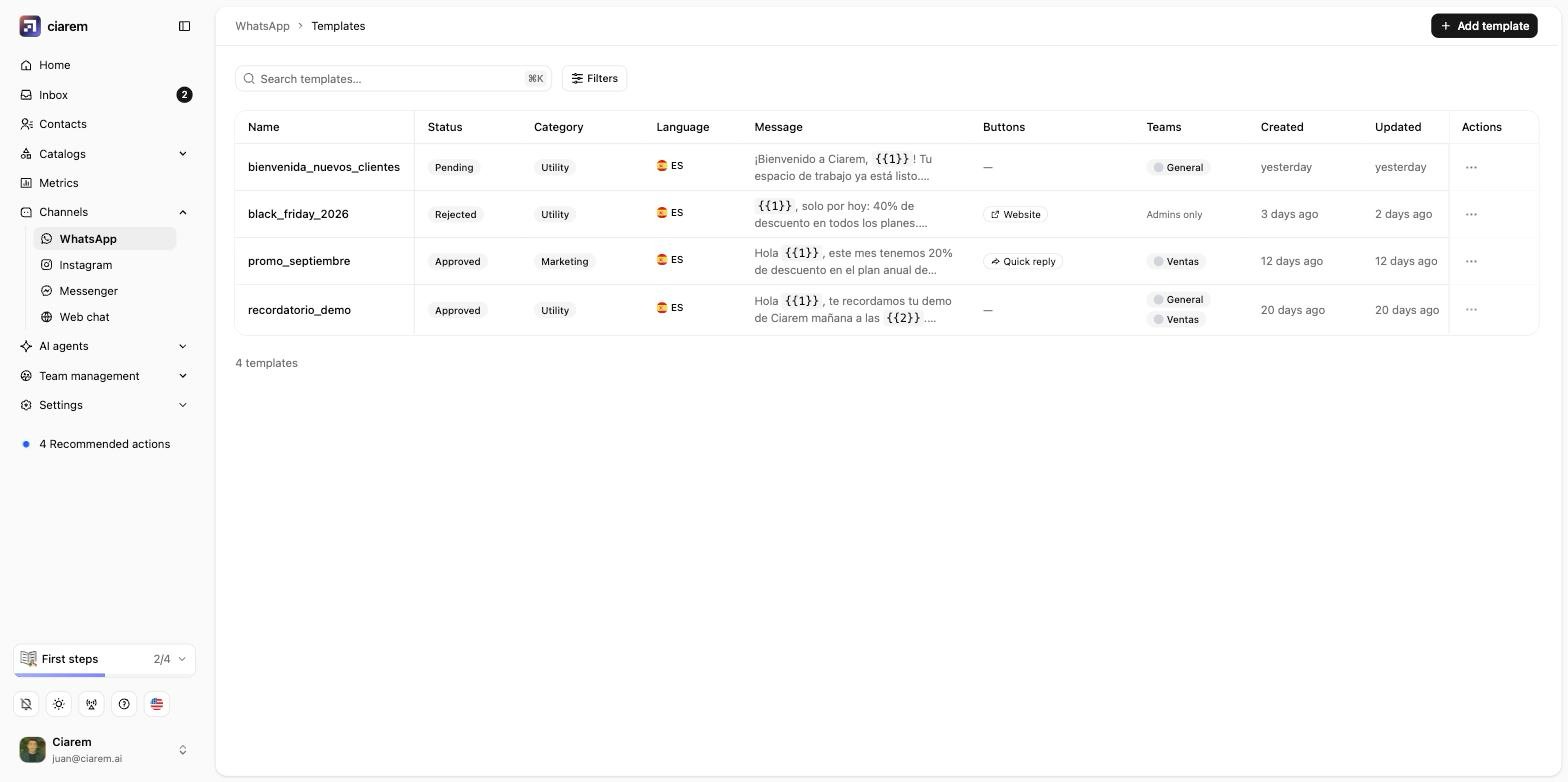
The Message templates screen
Templates live with your WhatsApp channel.1
Open the WhatsApp channel page
In the sidebar, go to Channels, then WhatsApp.
2
Go to Templates
The list shows each template’s Status, Category, Language, message, and buttons.
3
Click Add template
The editor opens. The next sections walk through the category, the message, and Meta’s review.
Pick a category
Every template has a Meta category, and picking the right one matters for approval:- Utility: about an existing order or request (a confirmation, a reminder, an update).
- Marketing: promotions, offers, re-engagement, anything that sells.
- Authentication: one-time passcodes.
Write it
Add the body, and use Insert variable to drop in personalization like the contact’s first name or a value from a catalog. The editor enforces two Meta rules: the header allows at most one variable or a media file, and the footer takes no variables. You can add buttons: quick replies, a website link, a phone number, or Open a form, which opens one of your WhatsApp forms. On a marketing template, one quick reply can be the opt-out button that lets a customer stop your promotions.
Sign with the sender’s name
Under Agent sending the message, Insert variable also offers the sender’s first name, last name, or full name ({{agent.first_name}}, {{agent.last_name}}, {{agent.name}}). Ciarem fills them with the name of the teammate who sends the template from the Inbox or the Contacts page. In a broadcast, it uses the name of the admin who started it. Meta reviews the template with a sample name, so one approved template signs itself for each teammate.
Some sends have no teammate behind them: a HubSpot or Shopify workflow, a Meta lead form follow-up, or the API. Ciarem refuses those sends as missing a value before anything goes to WhatsApp, so nothing is charged. To use the template there anyway, type the name in the workflow action’s variable values, or pass it in the API’s variables (for example "agent.name": "Laura"). A teammate with no first or last name on their account can’t send it either: Ciarem tells them to add their name to their account, and nothing is sent or charged until they do. For a broadcast, that check runs before any message goes out.
Get it approved
When you submit, the status goes to Pending while Meta reviews it, then Approved or Rejected (usually within minutes to a few hours). Common rejection reasons:- The category does not match the content (see above).
- Variables with no example values, or a message that is just variables with no real text.
- Vague, promotional, or misleading wording.
Who can see and send a template
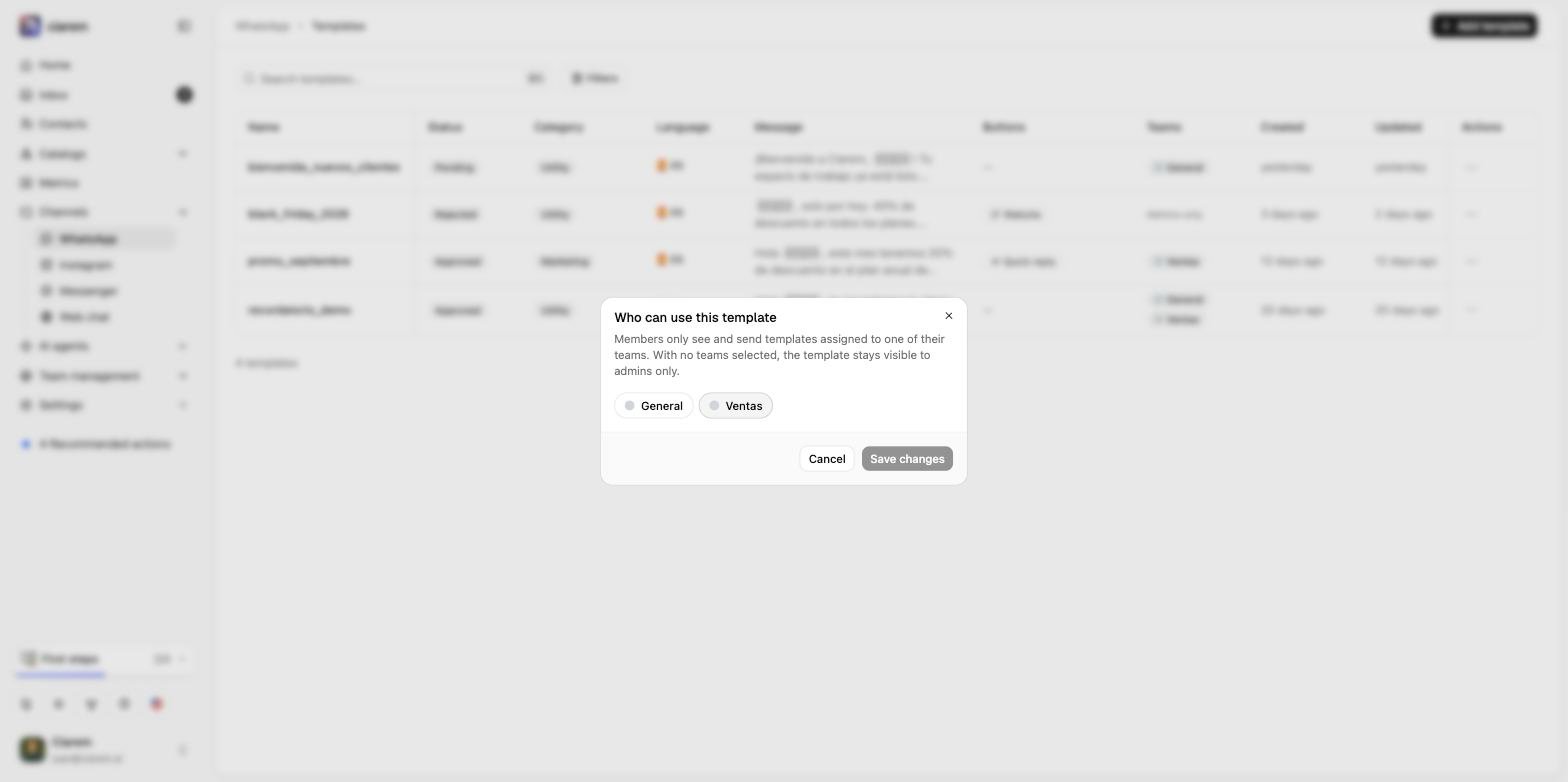
Admins see and can send every template. Members (the Agent role) only see the templates assigned to one of their teams, and a template with no team stays visible to admins only. The Teams column on the list shows the assignment, or Admins only when there is none. To assign one, open the row’s ··· menu and choose Assign teams. Tick the teams that should be able to use the template and save. New templates start with no teams, so remember this step when a template is meant for your reps.