
Option 1: WhatsApp Business API (dedicated line)
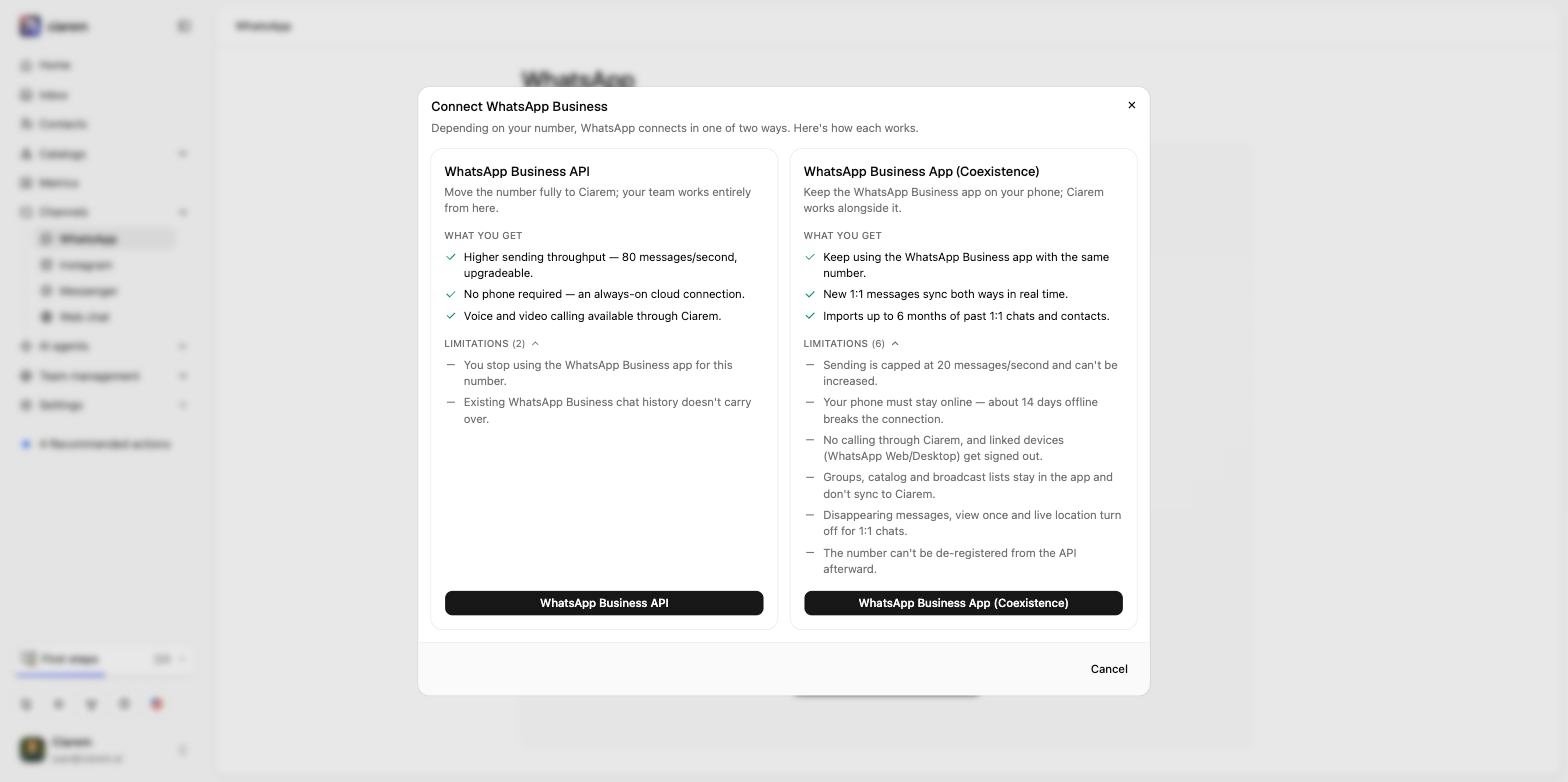
Choose WhatsApp Business API in the chooser to link a number through Meta’s secure embedded signup. In this setup the number lives in the platform: your team answers from the shared Inbox and the agent can use message templates to reach out after the 24-hour window.1
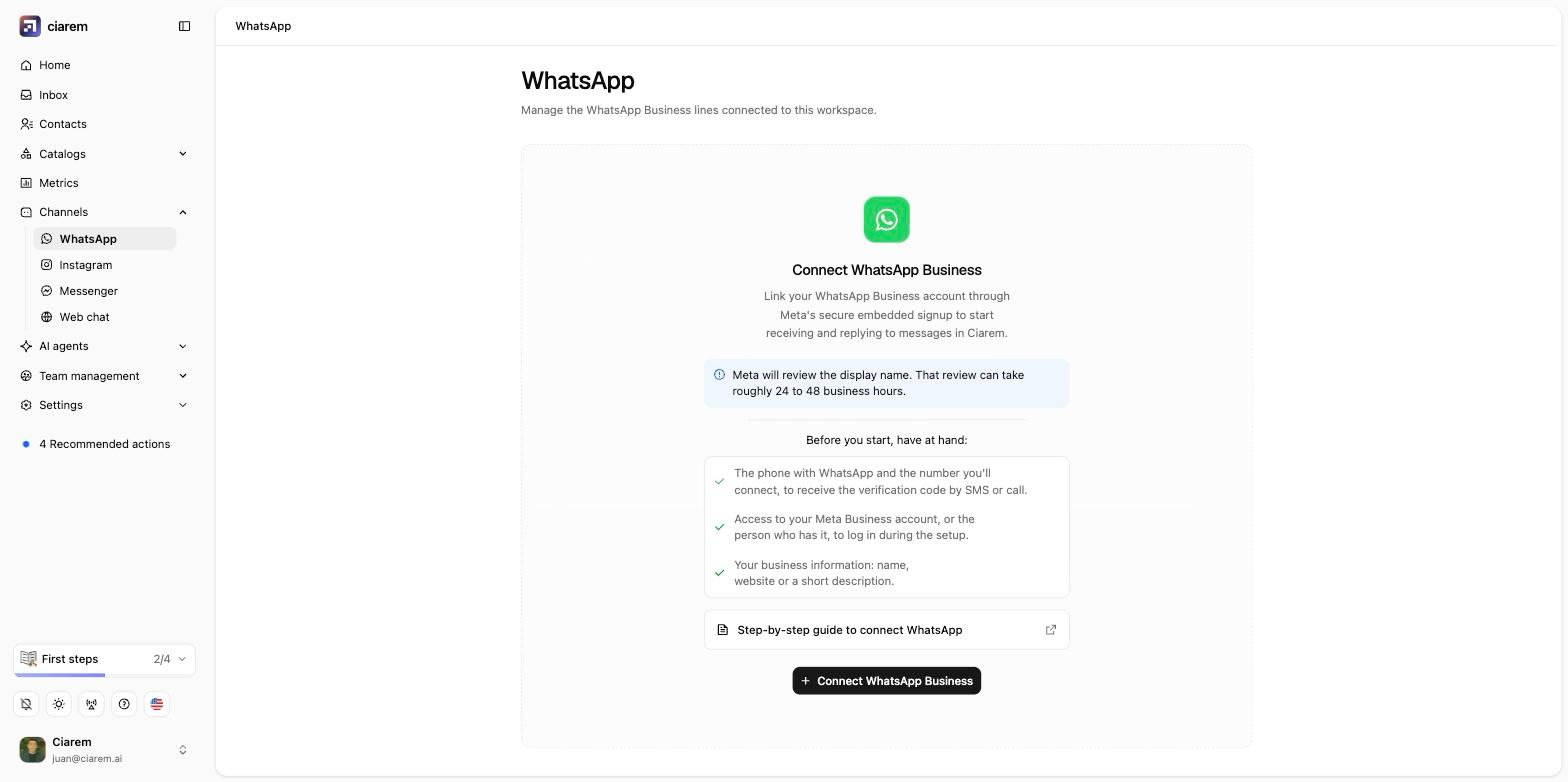
Open the WhatsApp channel page
In the sidebar, go to Channels, then WhatsApp.
2
Click Connect WhatsApp Business, then WhatsApp Business API
The chooser opens; pick WhatsApp Business API. A Meta window opens.
3
Log in with Facebook
Sign in with the Facebook account that manages your business.
4
Select your Meta Business Account
Pick an existing Meta Business Account, or create one from the same window.
5
Pick the phone number
Choose the number to connect and follow Meta’s verification steps.
6
Test the line
Back in Ciarem, your line appears on the WhatsApp page. Send yourself a test message; it should show up in the Inbox within seconds.
Option 2: WhatsApp Business App (Coexistence)
If you run your business from the WhatsApp Business app and do not want to give that up, choose WhatsApp Business App (Coexistence) in the chooser. Your number connects to Ciarem while the app keeps working as before: you and your team keep chatting from your phones, and the AI agent reads and answers on the same number. Nothing is hidden from your phone. Incoming customer messages and the replies the AI sends both keep appearing in your WhatsApp Business app, so you always see the full conversation there, as if you had written it yourself. You will need:- Your number active on the WhatsApp Business app (not personal WhatsApp).
- Access to a Meta Business Account (the flow guides you if you do not have one).
- A recent version of the WhatsApp Business app on your phone.
1
Open the WhatsApp channel page
In the sidebar, go to Channels, then WhatsApp.
2
Choose the coexistence option
Click Connect WhatsApp Business, then WhatsApp Business App (Coexistence) in the chooser.
3
Log in with Facebook
It is the same Meta login as the dedicated line. Select your Meta Business Account, or create one if the flow asks you to.
4
Confirm the code on your phone
Meta sends a code to the WhatsApp Business app on your phone. Confirm it there; your app stays logged in throughout.
5
Wait for the line to finish setting up
Its card on the WhatsApp page shows what is happening: connecting (Meta is registering the number), then importing (your recent chat history is syncing in), then ready. The line already works while history imports.