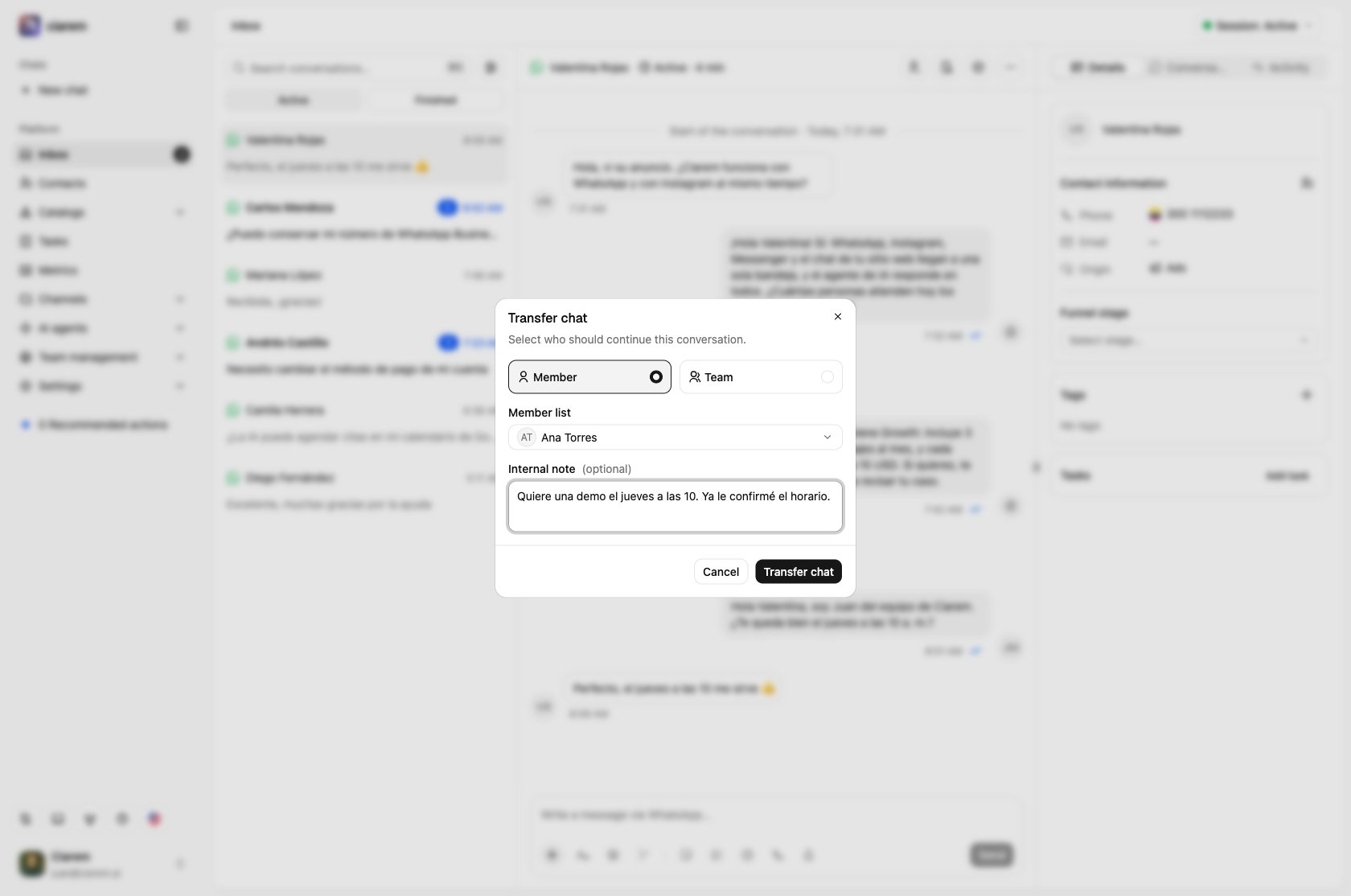
The Inbox is where every conversation lives, whatever the channel. WhatsApp, Instagram, Messenger, and website chat threads all arrive in the same list, each marked with its channel, searchable and filterable from the top bar. Two tabs split the list by state: Active (the conversation is still open) and Finished (resolved).
The list shows one row per contact. Opening it shows their full history on that channel as a single thread. Past conversations are stitched together with clear session markers, so you scroll back through everything that was ever said instead of hunting for an older conversation. When your workspace has more than one account on a channel (say, two WhatsApp lines), the top of the chat says which line the conversation belongs to. The row is the contact’s latest conversation on that channel, and the Active and Finished tabs and every filter apply to that conversation. If the latest conversation is assigned to a teammate, the contact shows up under that teammate, not under you.
The same Inbox is in the Ciarem mobile app, with push notifications for the conversations assigned to you. See Inbox on mobile. WhatsApp voice calls ring here too when calling is enabled on the line. See Calls in the Inbox.
What to check daily
The one metric that should drive your morning is on the Dashboard: Awaiting reply. These are conversations where the last word belongs to a customer and a human is needed. The card shows the count. Old unanswered conversations are lost deals, so keep this number at zero.Searching conversations
The search box at the top of the list looks through everything, not only the last message: contact names, phone numbers, and the text of every message, including the captions on photos and files. It ignores accents and capital letters, so “medellin” finds “Medellín”. A contact’s earlier sessions on the same line are searched too, and the contact stays in the Active tab while their current chat is open. Each result shows the newest message that matches, with your search term highlighted. When more messages in that conversation match, a +N badge says how many.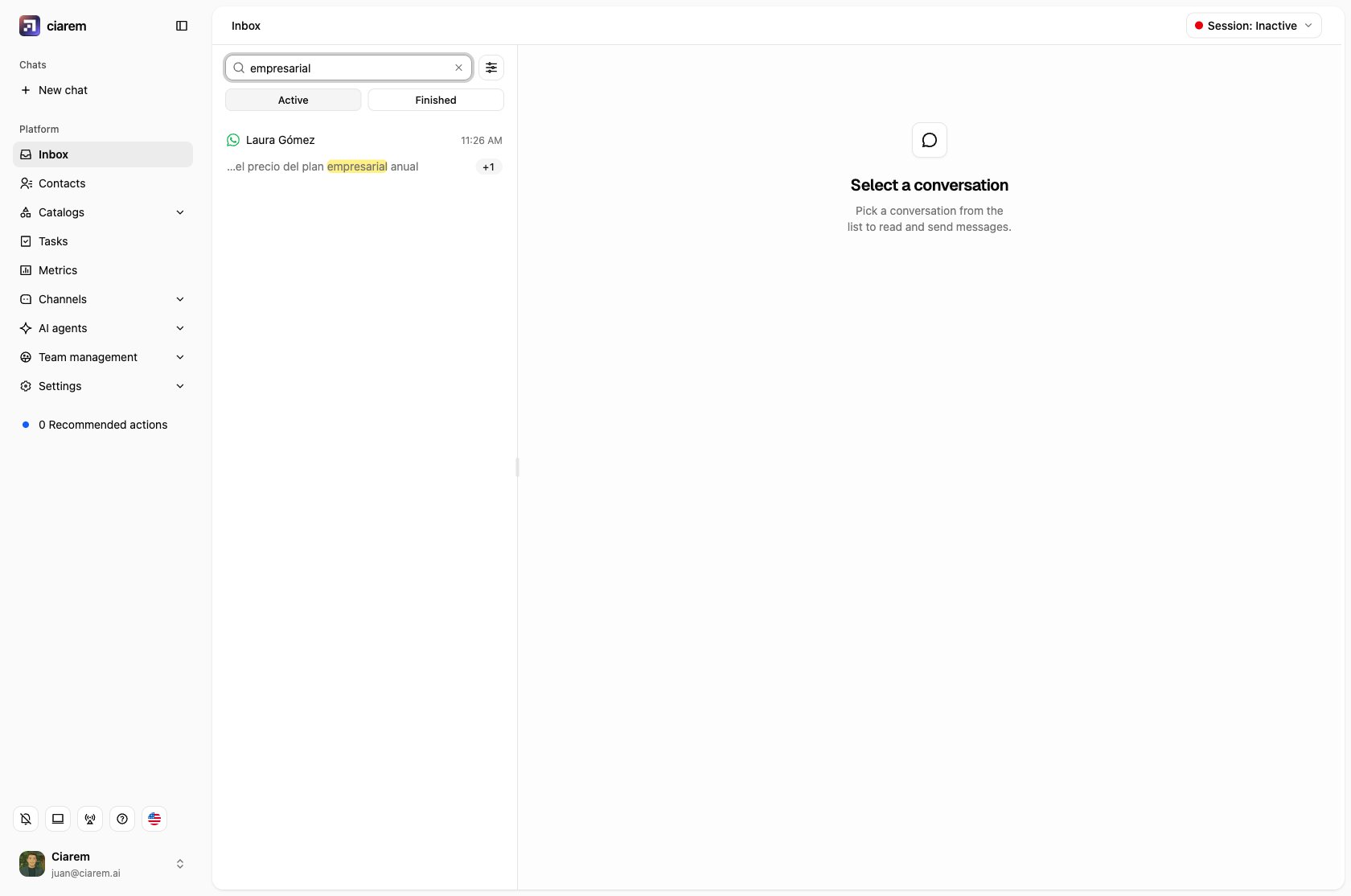
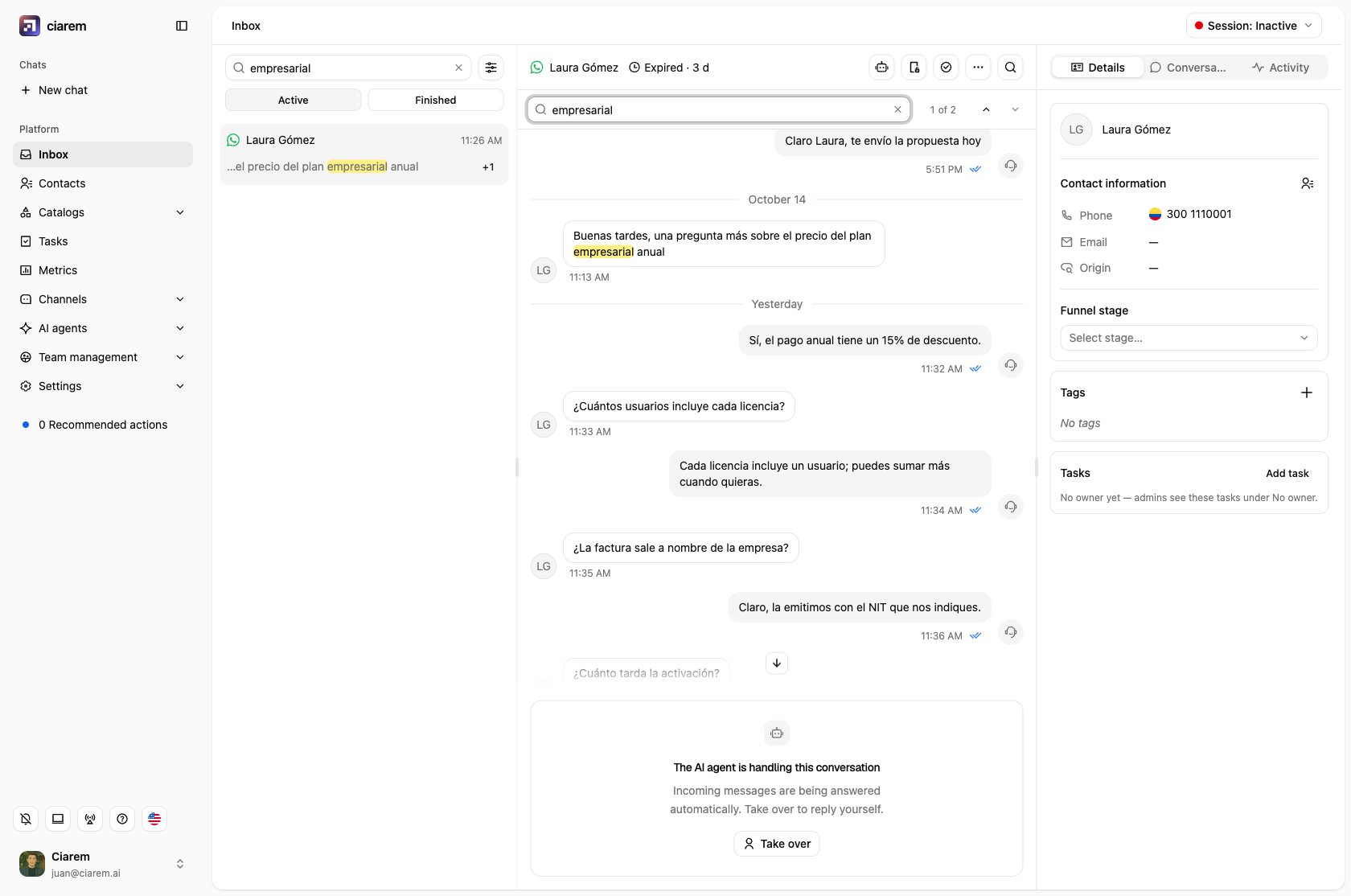
- Up arrow or Enter moves to the previous (older) match
- Down arrow or Shift+Enter moves to the next (newer) match
- Esc closes the search
AI and human control
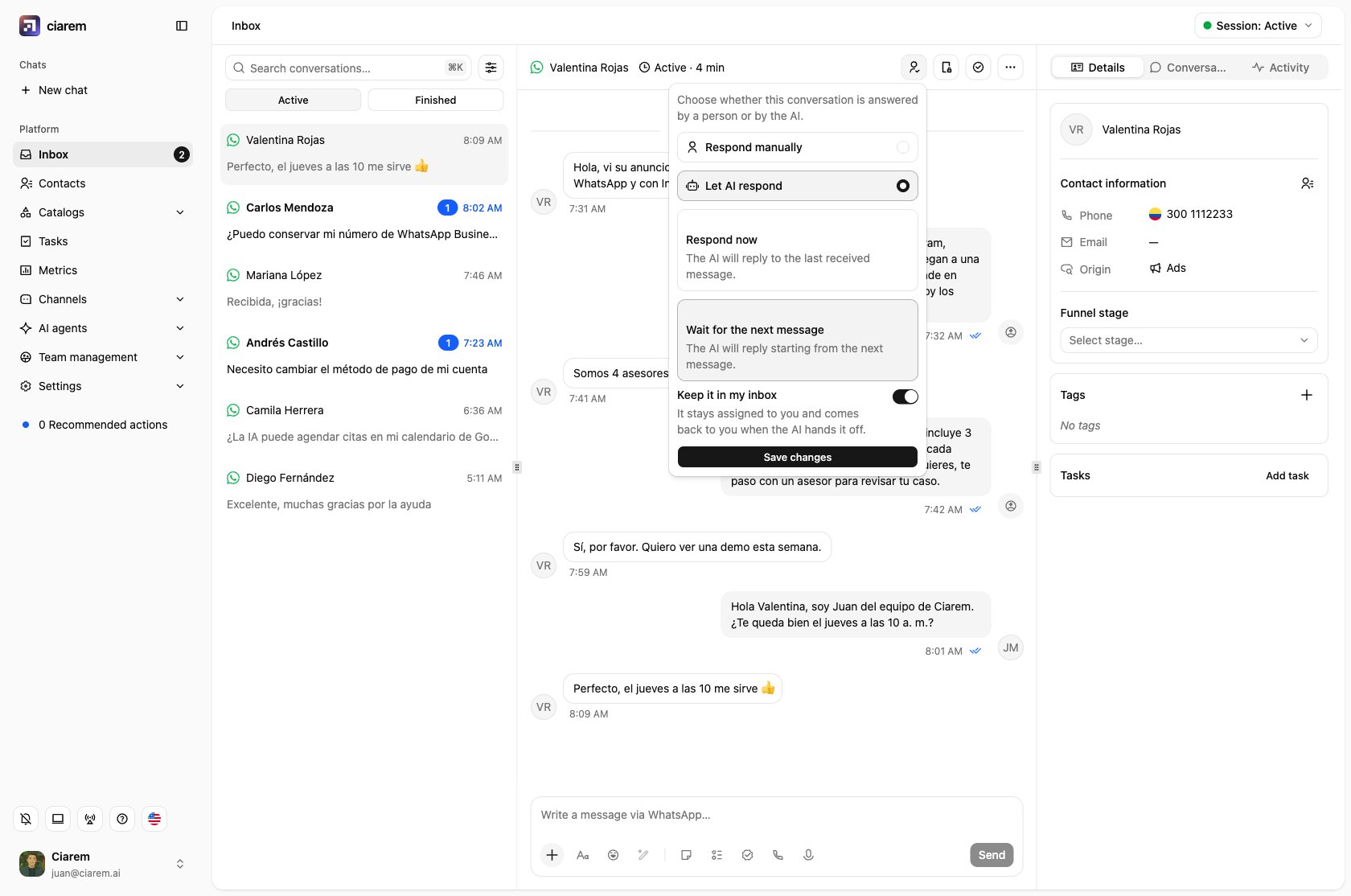
Every conversation shows its conversation handler: whether it is being answered by the AI agent or a person. From the conversation view you can:- Take over and respond manually at any time
- Switch back to Let AI respond when the human moment has passed, either waiting for the customer’s next message, or with Respond now, which has the AI immediately answer the last message received
- Watch the agent work in real time without intervening

Internal notes
Inside a conversation you can write an internal note: a message the contact never sees. Use notes for context on handoffs (“quoted price yesterday, waiting on stock confirmation”) so whoever picks up the thread does not start from zero.Quick replies
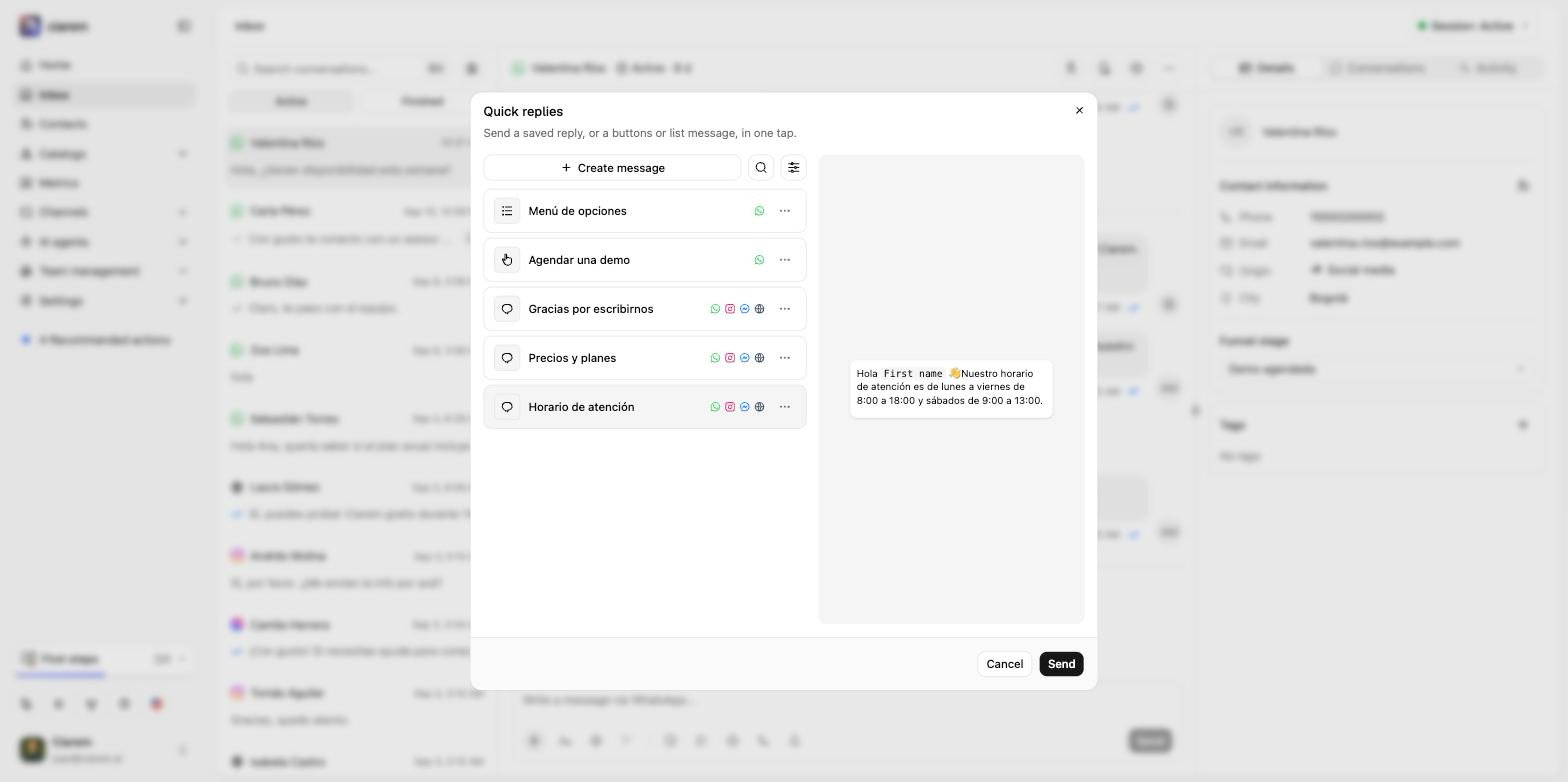
Quick replies are saved messages you send in one tap: a plain text (optionally with an image, a video, or a document) or, on WhatsApp, a message with buttons or a list. Open them from the Quick replies button in the composer, pick one, check the preview, and press Send. Contact fields such as{{contact.first_name}} are filled in for the person you are talking to, and agent fields such as {{agent.first_name}} with the name of whoever sends it. If the reply has a value Ciarem can’t fill (a field this contact doesn’t have, or a variable you typed by hand like {{cost}}), a Complete the message dialog asks you for it before sending.
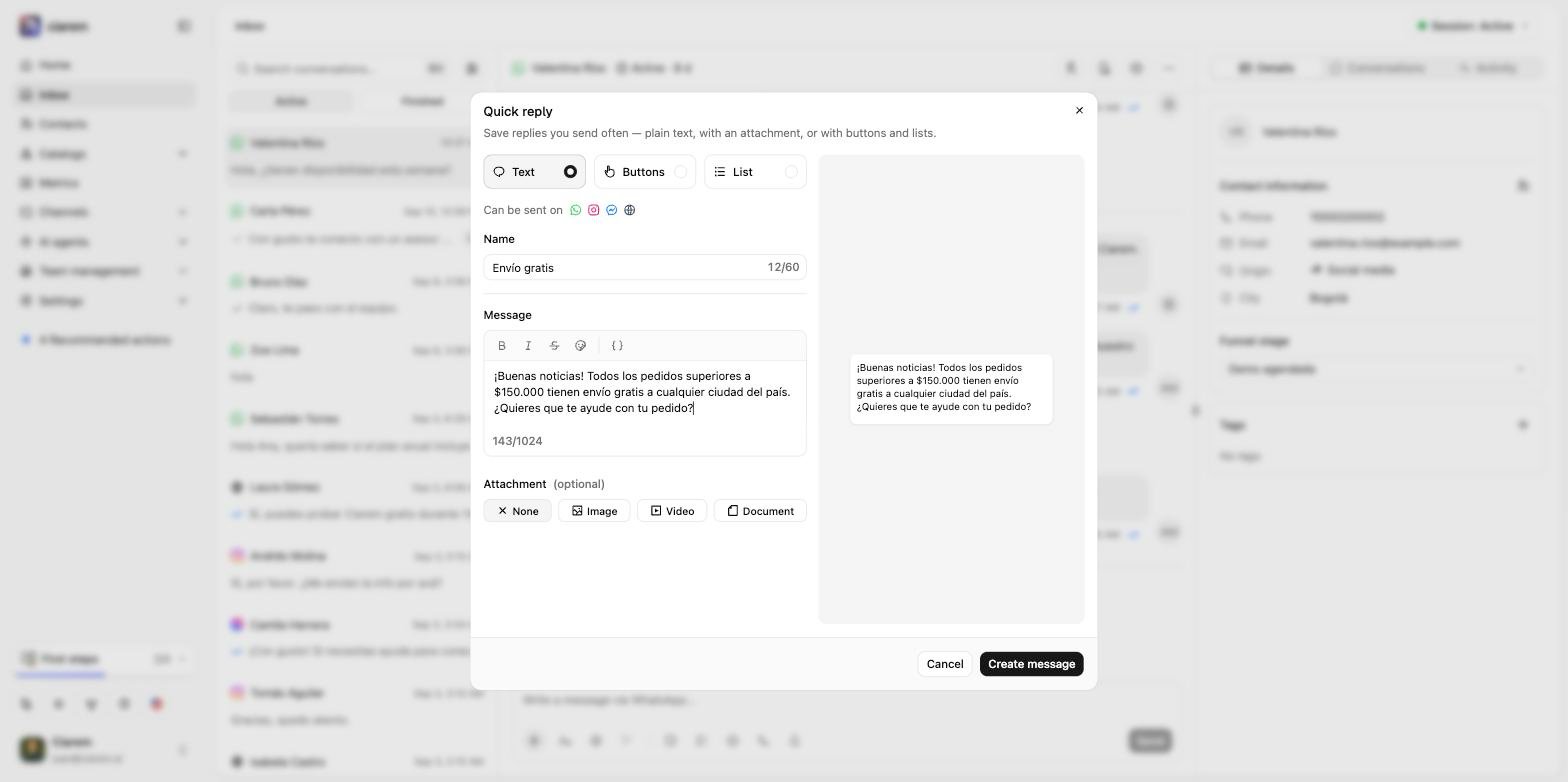
{ } button inserts a contact field, or under Agent sending the message, the sender’s first, last, or full name), and optionally attach one image (JPG or PNG, up to 5 MB), video (MP4 or 3GPP, up to 16 MB), or document (PDF, Word, Excel, PowerPoint, TXT, or CSV, up to 16 MB). On a button message, the header can also carry a document of those types, up to 100 MB.
When the 24-hour window closes
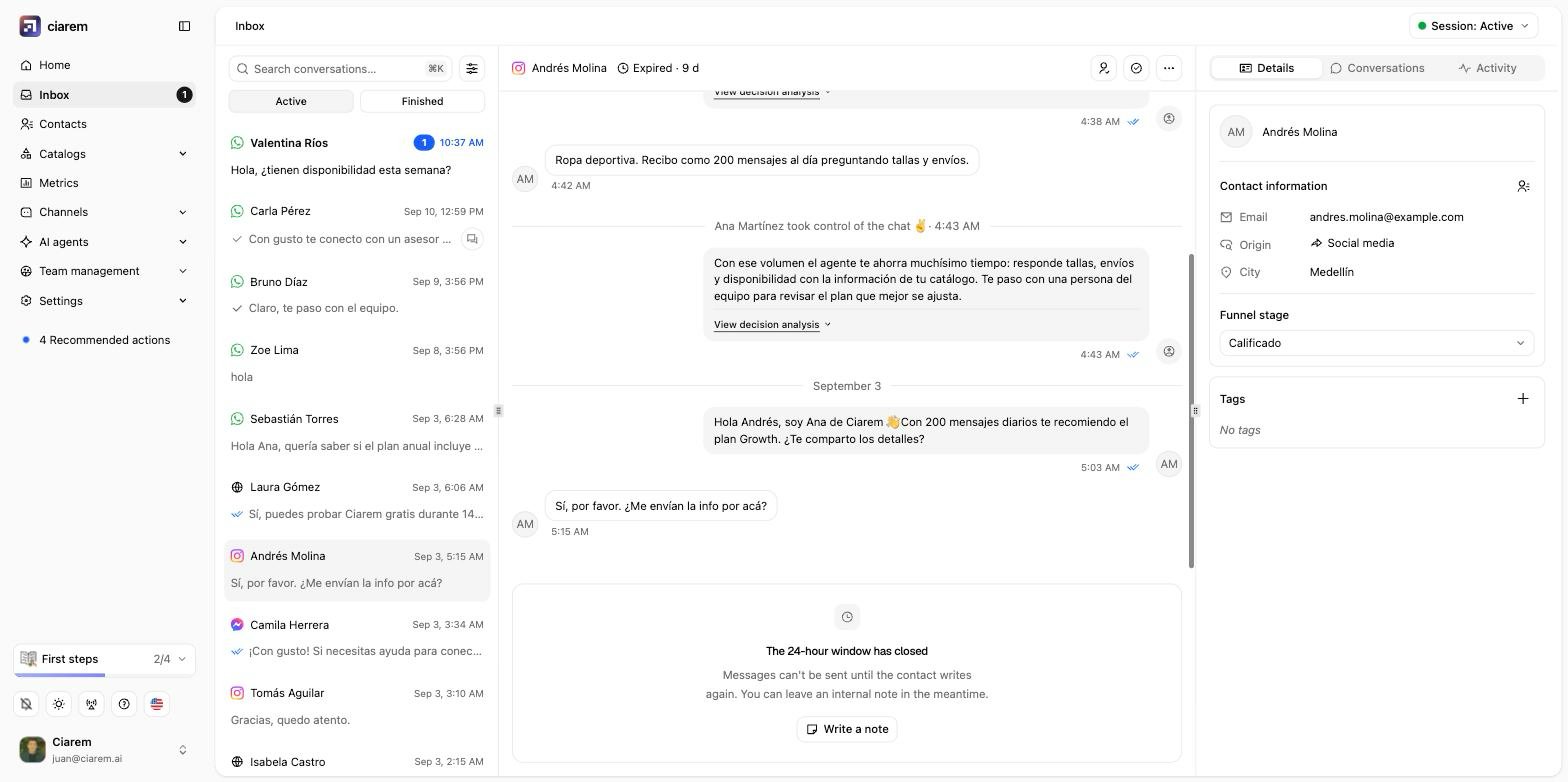
Meta only lets a business reply on WhatsApp, Instagram, and Messenger within 24 hours of the customer’s last message. Once that window has passed, the conversation header reads Expired and the composer locks:- On WhatsApp, you can still reach the contact with an approved message template, or leave an internal note.
- On Instagram and Messenger, there is no template equivalent. The composer explains that messages cannot be sent until the contact writes again and offers Write a note, so you can leave context for whoever picks up the thread. The AI agent is subject to the same rule.
Following up on a finished chat
When you finish a chat, the Inbox stays on the tab you were working in and keeps the chat open (the chat itself moves to Finished), and its composer reads Conversation resolved. The chat can’t be reopened, and a new message from the contact starts a fresh conversation. You can still follow up from it:- Send template (WhatsApp) sends an approved message template. It starts a new conversation, assigned to you and handled by you rather than the AI, and the Inbox opens it in Active. The earlier messages stay visible above it.
- Write a note adds an internal note to the finished chat, which stays in Finished.
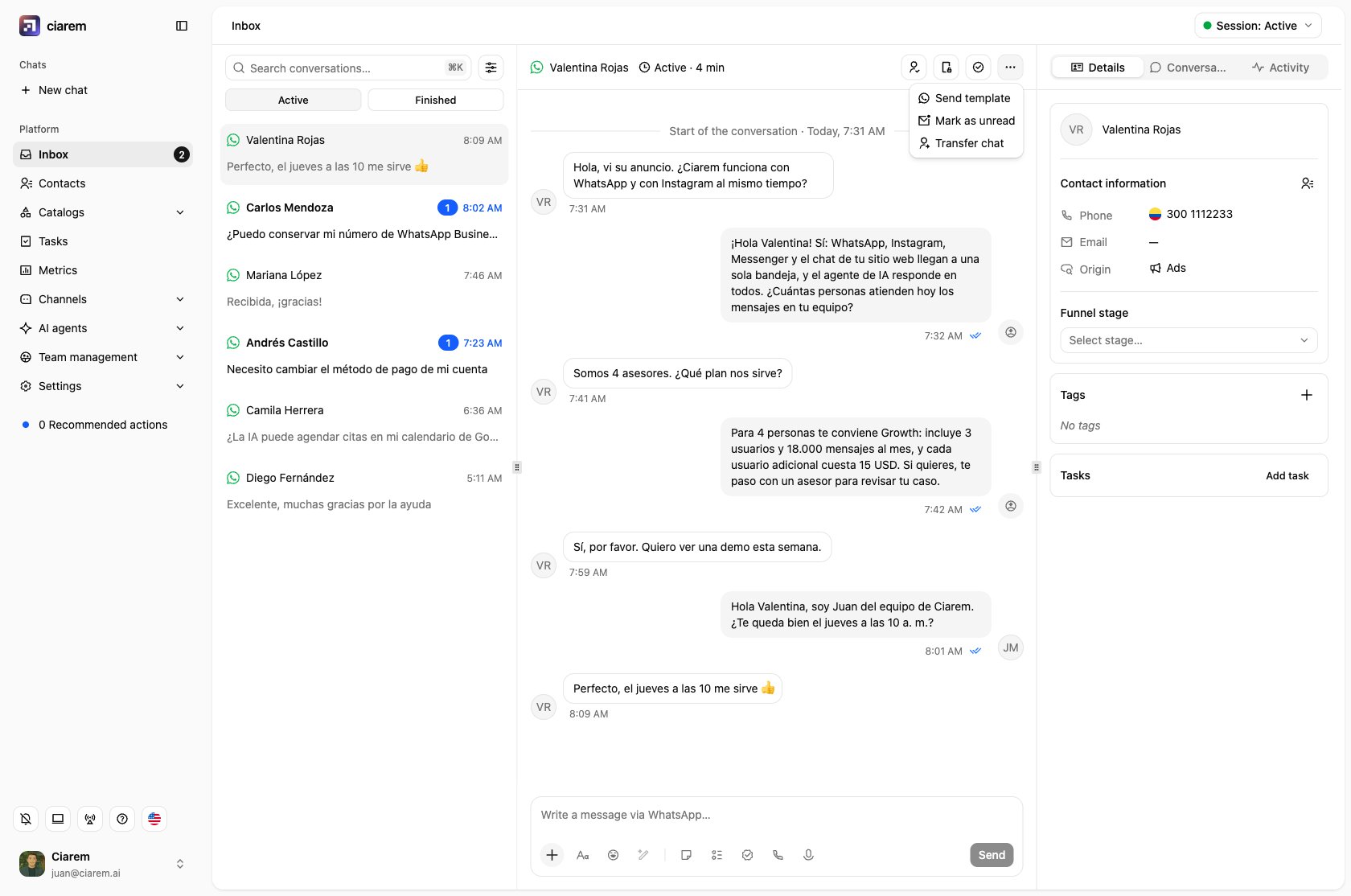
Assignment and teamwork
On multi-seat plans, conversations can be assigned to a teammate, and unassigned conversations are visible as such. Under Team management you can organize users into teams, label conversations with tags, and set Assignment rules for how conversations get distributed. Assign transferred conversations quickly, so nobody is left waiting. See After the handoff. To hand a conversation to someone else, open the ··· menu in the chat header and choose Transfer chat. Pick a Member or a Team, and add an optional Internal note for whoever picks it up. A member gets it right away. A team gets it queued, and the assignment rules give it to one of the team’s available members. Agents can transfer the conversations assigned to them; admins can transfer any conversation.