
Catalogs in the sidebar are structured tables for the things your business sells or works with: products, services, price lists, plans, locations. Each catalog is a type of record with its own fields, and the AI agent can look records up to answer questions like “how much is a cleaning?” with the right number.
Catalog or knowledge base?
This is the first decision most people face, and the two are for different jobs:- Use a catalog for structured, repeating things with attributes you would put in a table: a service and its price, a product and its stock, a plan and what it includes. The agent can look up a specific record and read a specific field (like price) from it.
- Use a knowledge base for prose the agent reads to explain things: policies, hours, how a treatment works, frequently asked questions. See Knowledge bases.
Create a catalog
Open Catalogs and create one. You give it a name (for example “Services”), a singular form for single-record labels (“Service”), an icon, and a short description. Write the description carefully: it tells the AI what these records represent, so it knows when to use them. How many catalogs you can create depends on your plan.Add fields and records
Each catalog has properties, the fields every record can carry. Add the fields you need, such as Name, Price, Duration, or Category. Then add records one by one, or bring an existing list in with Import CSV / XLSX. Saved views let you choose which columns to show, and a Board view can group records into columns by a single-select property. To change many existing records at once, admins use Bulk update on the catalog. The file’s first column is the Record ID, the other columns are mapped to the fields to update, and empty cells keep the current value. Rows with a missing or unknown ID are skipped and listed in an error file. Keep prices and details current here. The agent quotes from what is in the catalog, so an out-of-date price in the catalog is an out-of-date price to your customer.
Files on a record: photos, brochures, and videos the agent can send
Add a property of kind File (one file) or Multiple files (up to 10) to a catalog, and every record can carry attachments: product photos, a PDF brochure or spec sheet, a short video. Attach them when you create or edit the record. You can upload JPEG and PNG images up to 10 MB, MP4 and 3GP videos up to 50 MB, and PDF, Word, Excel, and PowerPoint documents up to 25 MB. Any agent with access to the catalog can send these files to the customer as real media messages, alongside its text: when the customer asks for a photo, the brochure, or a spec sheet, and on its own when it presents a record worth seeing. Several photos go out as a swipeable carousel on WhatsApp, one card per photo with a short caption and a button, and as an image carousel on the web chat. One channel limit to plan around: Meta delivers images up to 5 MB on WhatsApp and 8 MB on Instagram, and videos up to 16 MB, so a larger file is stored but not sent there. Files are sent, not read. The agent does not learn from a PDF or a video attached to a record: it quotes the record’s fields and, for explanations, the knowledge base. Put what you want it to explain into a knowledge base, and attach the file so the customer can receive it.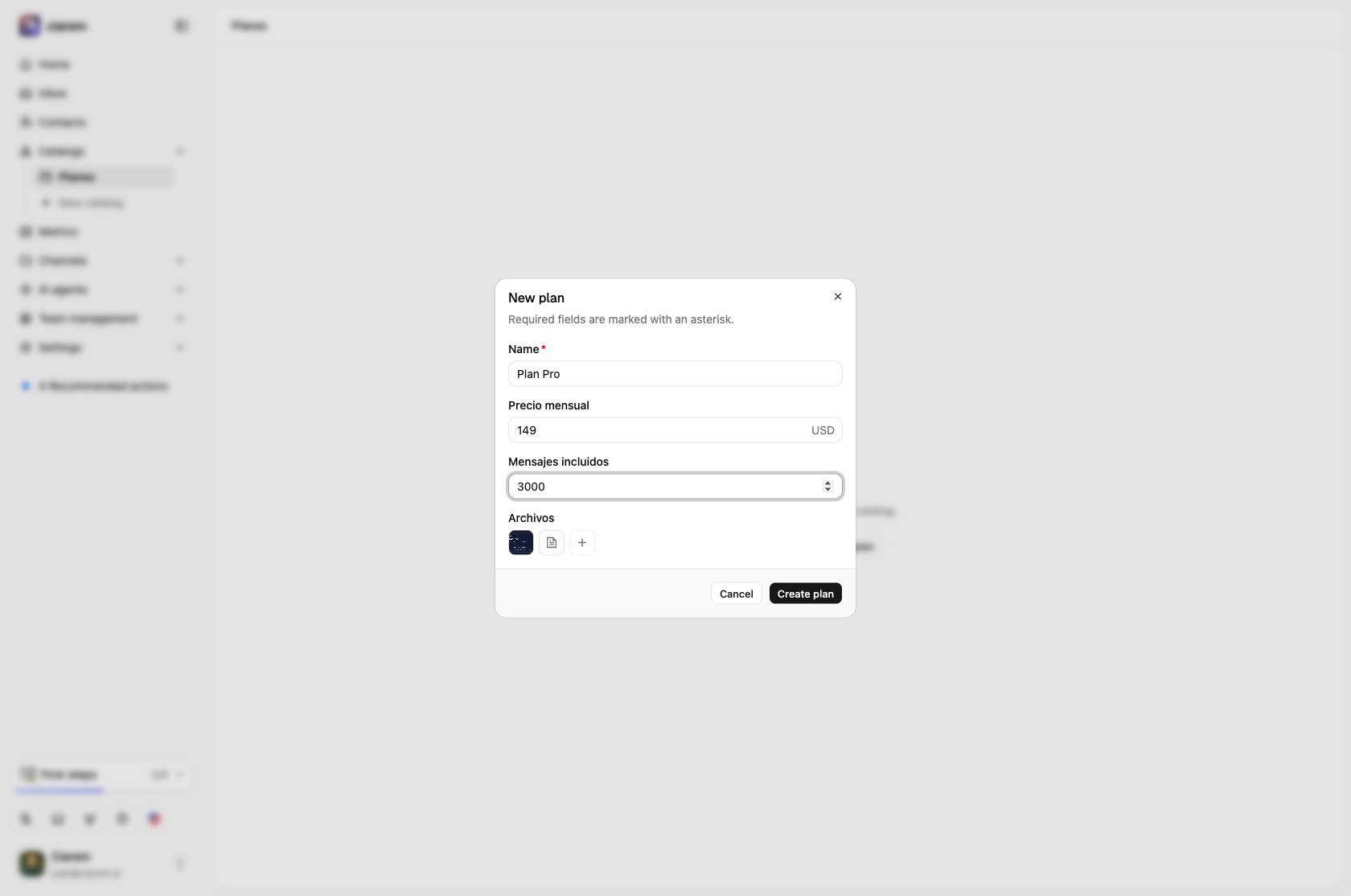
Let an agent use a catalog
A catalog is only used by the agents you connect it to. When you configure a qualifier, sales, or FAQ agent in Control center > Agent team, use Catalogs this agent can access to grant it each catalog. From then on, that agent can search the catalog and read a record’s fields to answer questions and quote the right price. Agents without access to a catalog cannot see it. Access is read-only by default. Per catalog you can additionally allow the agent to Add content (register new records, for example a sales agent logging an order) or Edit content (update existing records). Grant write access only where it clearly helps. Read-only is the safe default.