
Test agent (also reachable as AI training from the Control center) opens the playground, a full simulation of a real conversation:
- Pick the channel to simulate (a WhatsApp conversation formats differently than web chat), switch to a simulated time to test out-of-hours behavior, impersonate an existing contact to test with their real data, and choose which of your agents take part.
- Chat as if you were the customer, or use the quick scenario chips (upset customer, pricing question, wants to book, hours question).
- Every reply comes with a decision analysis: the intent it detected and the routing confidence, which agent stepped in and why, which knowledge bases and catalogs it consulted, and which transfer rules were evaluated, including why none fired.
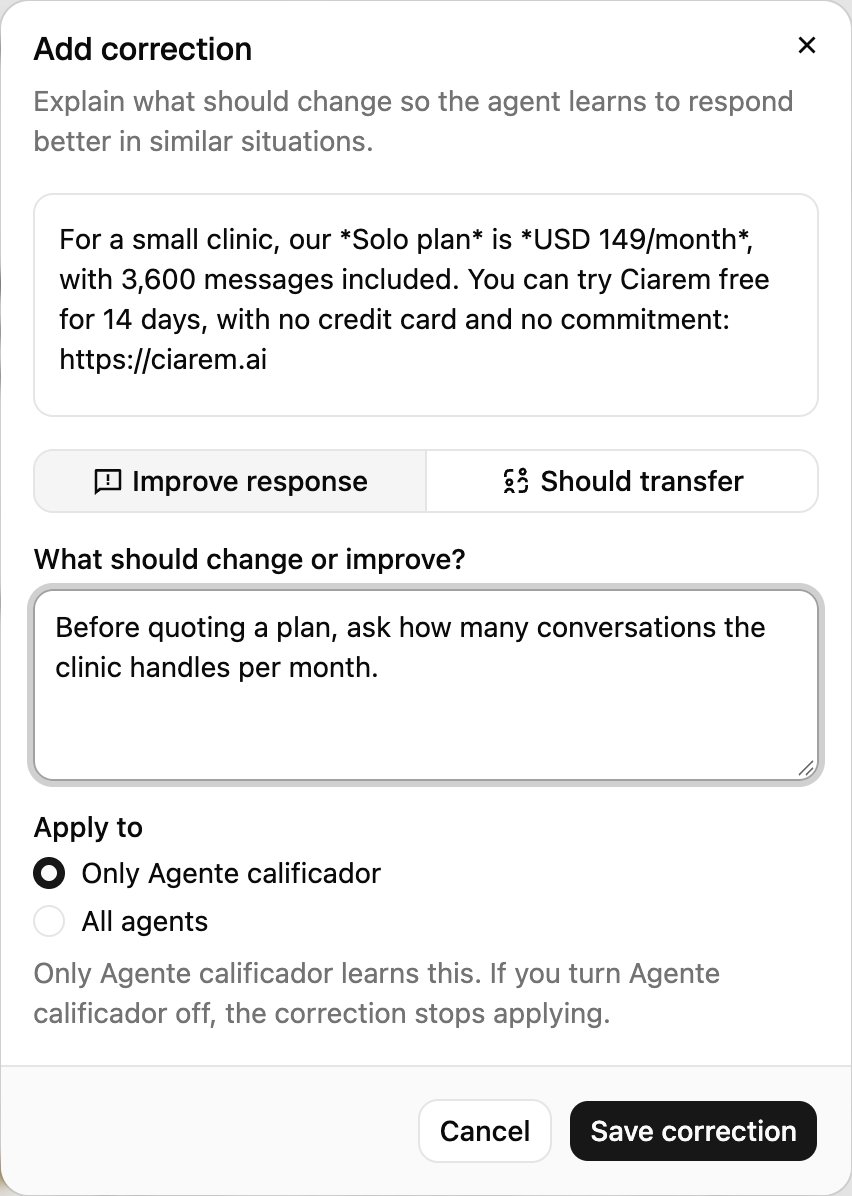
- Under each reply, Good response / Needs correction are the training loop. A correction lets you either improve the response in plain language or say it should transfer, and the agent learns it for every similar situation going forward. The same corrections flow powers the Evaluation center for replies already sent to real customers.

Reading the decision analysis
What a correction can and cannot teach
Needs correction opens two options, and they teach different things:
Every verdict also leaves a test behind: Good response protects that behavior, and a correction re-runs the flagged message to check that the fix holds. The Control center’s AI training card tracks how many replies you have rated.
One agent or every agent
When an agent wrote the reply, Improve response asks Apply to:- Only followed by the agent’s name (the default): only the agent that answered learns it. If you turn that agent off, the correction stops applying.
- All agents: every agent learns it, including agents you add later.
Review and delete saved corrections
Saved corrections, in the playground header, lists everything your agents learned, grouped under All agents and then each agent with its own corrections.
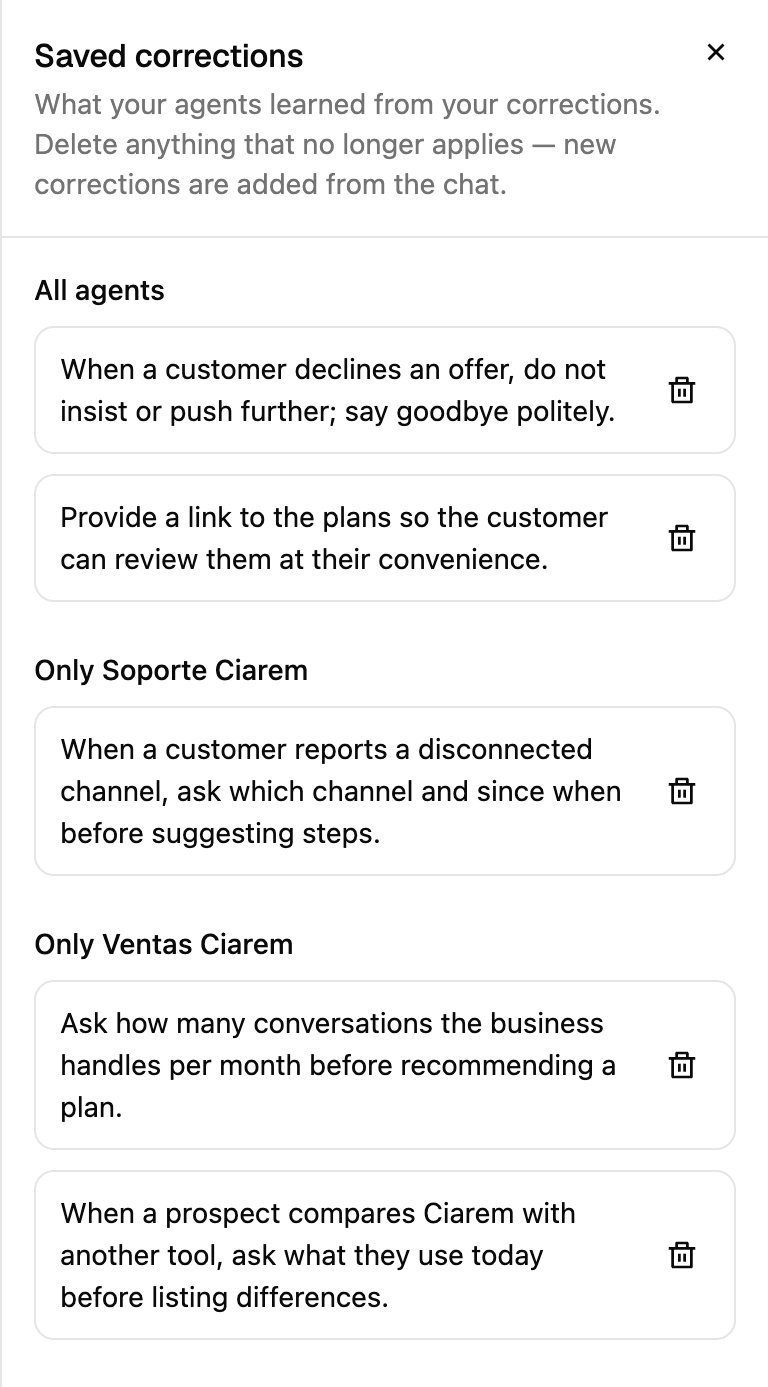
Saved corrections are written in the language you corrected in. Your agents still reply in your business’s language.
Close the conversation
Close conversation ends the simulated chat the way a real close would. If satisfaction surveys are on for the channel, the survey is sent so you can answer it as a customer. After that the chat is locked until you restart it.A routine that works
1
Write down your ten most common questions
In your customers’ words, misspellings included (“cuanto vale la limpieza?”, “do u do weekends”).
2
Run them and rate every reply
Do this before any change to agents, rules, or knowledge. Mark Good response on the ones that are right. Each becomes a test that protects that behavior.
3
Change one thing, run them again
Compare with the decision analysis: the same answers where you expected no change, better ones where you did.
4
Fix what failed in the right place
A wrong fact: the knowledge base. A wrong behavior: Needs correction, then Improve response. A moment that should have gone to a person: Should transfer.