
How it works
In the agent’s setup there is a Follow-ups section: “Follow up when the customer goes quiet.” When it is on, you pick which of three moments the agent nudges at: 15 minutes, 1 hour, and 2 hours after its last unanswered message. Check one, two, or all three. The agent works through them in order, and the moment the customer replies, the remaining nudges are cancelled. When you switch it on, Ciarem pre-selects a default for the agent’s type: support and FAQ agents nudge at 15 minutes (people mid-issue are still around), appointment agents at 1 hour, and sales and qualifier agents at 2 hours (give a real person time to think).The agent decides whether to send
Each moment you pick is a chance to follow up, not a guaranteed message. When the moment arrives, the agent reads the conversation, writes the follow-up itself, and decides whether sending it helps the customer. If it has nothing new to add, it stays silent. Support, FAQ and billing agents also stay silent when their last message asked a question the customer has not answered. Sales, qualifier and appointment agents follow up anyway: they come back to what the customer wanted and offer the next step, without repeating the question. It never repeats or rephrases an earlier follow-up, and it never invents a price, a discount, or a deadline to get a reply. So a conversation with all three moments ticked may get one follow-up, two, three, or none.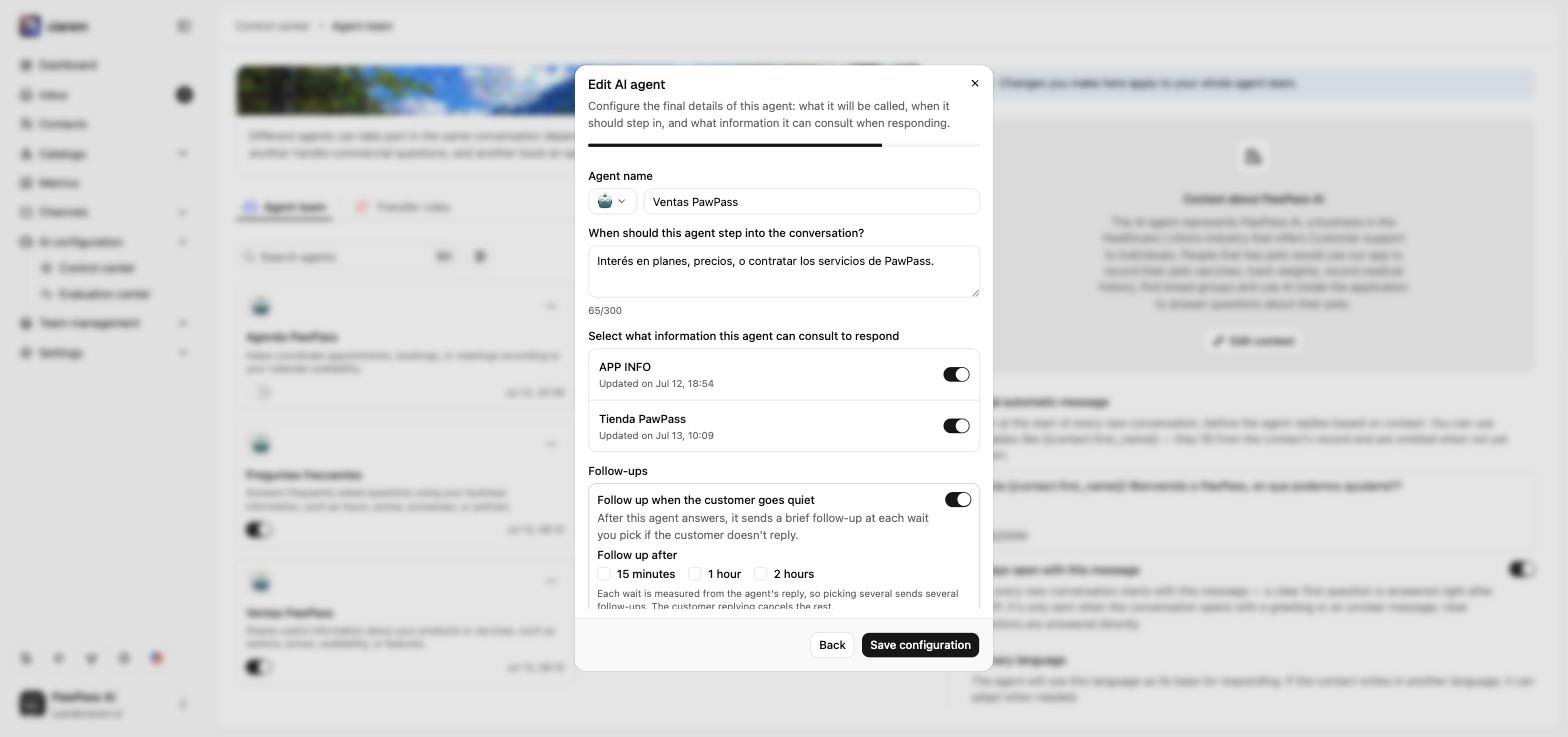
Good to know
- It is per agent, so you can let your sales agent chase a quiet lead while a support agent stays hands-off.
- It applies going forward, to conversations that agent answers after you switch it on, not to old threads.
- Every nudge fires inside WhatsApp’s free 24-hour service window, so it needs no message template and carries no extra Meta cost. To reach someone after the window has closed, use a template instead. See Creating and managing message templates.