
Turn on Short links
Short links is an add-on, free like Checkout.1
Open Add-ons
Go to Settings, then Add-ons. Only admins can change add-ons.
2
Activate the Short links card
See details shows what the module includes and the Domain your links use: ciarem.link, the same for every workspace. Custom domains aren’t available.
Shorten a link while you write
Type or paste a long URL into the inbox composer and pause: the URL lights up and a Shorten pill appears right above it. Click Shorten and the long URL is swapped for your short link in place; the pill shows the short link for a moment and fades. Press Escape or the × to dismiss it for that URL; to bring it back, move the cursor right after the URL and type a space. The pill never moves your cursor or takes the focus.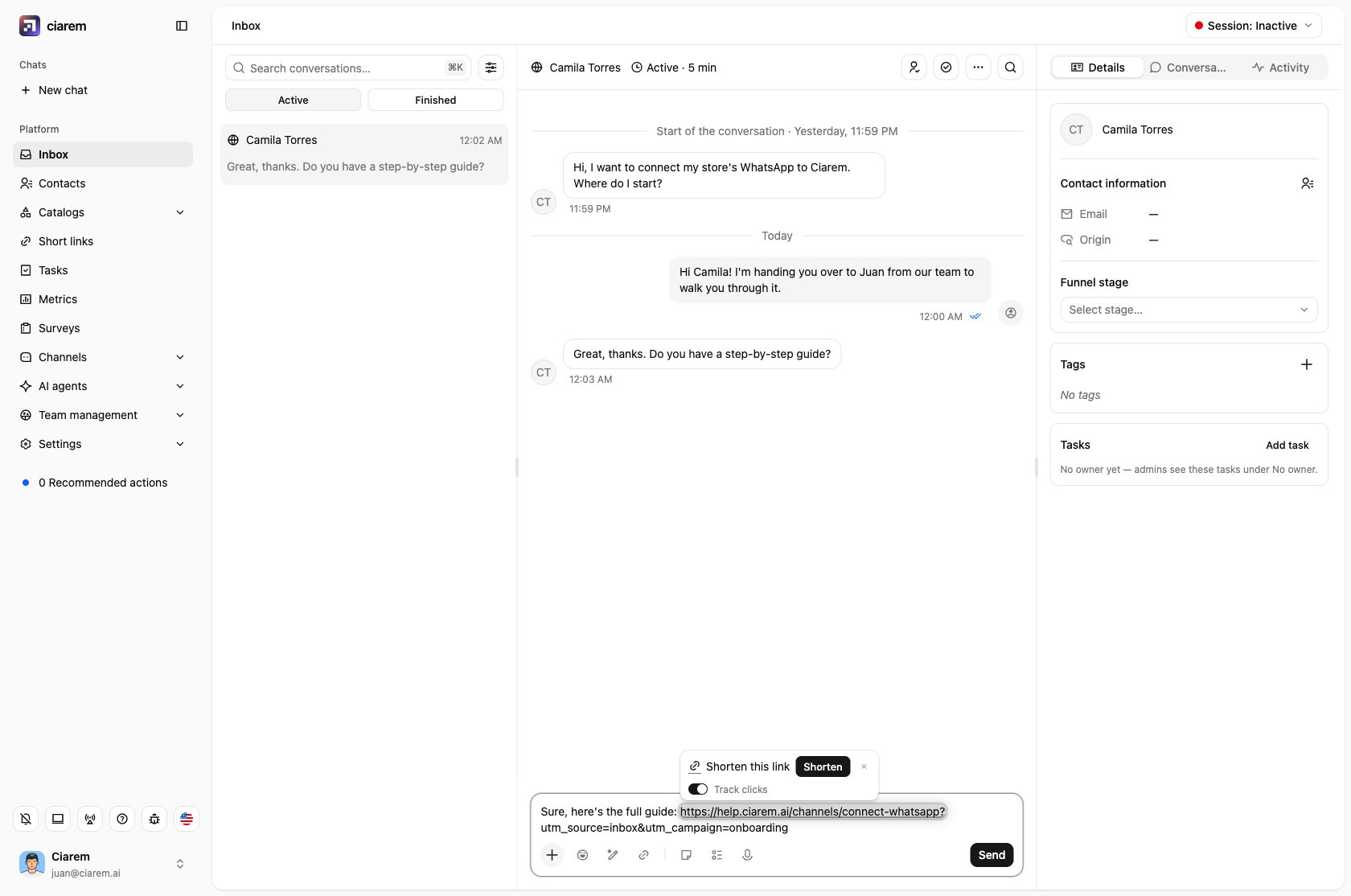
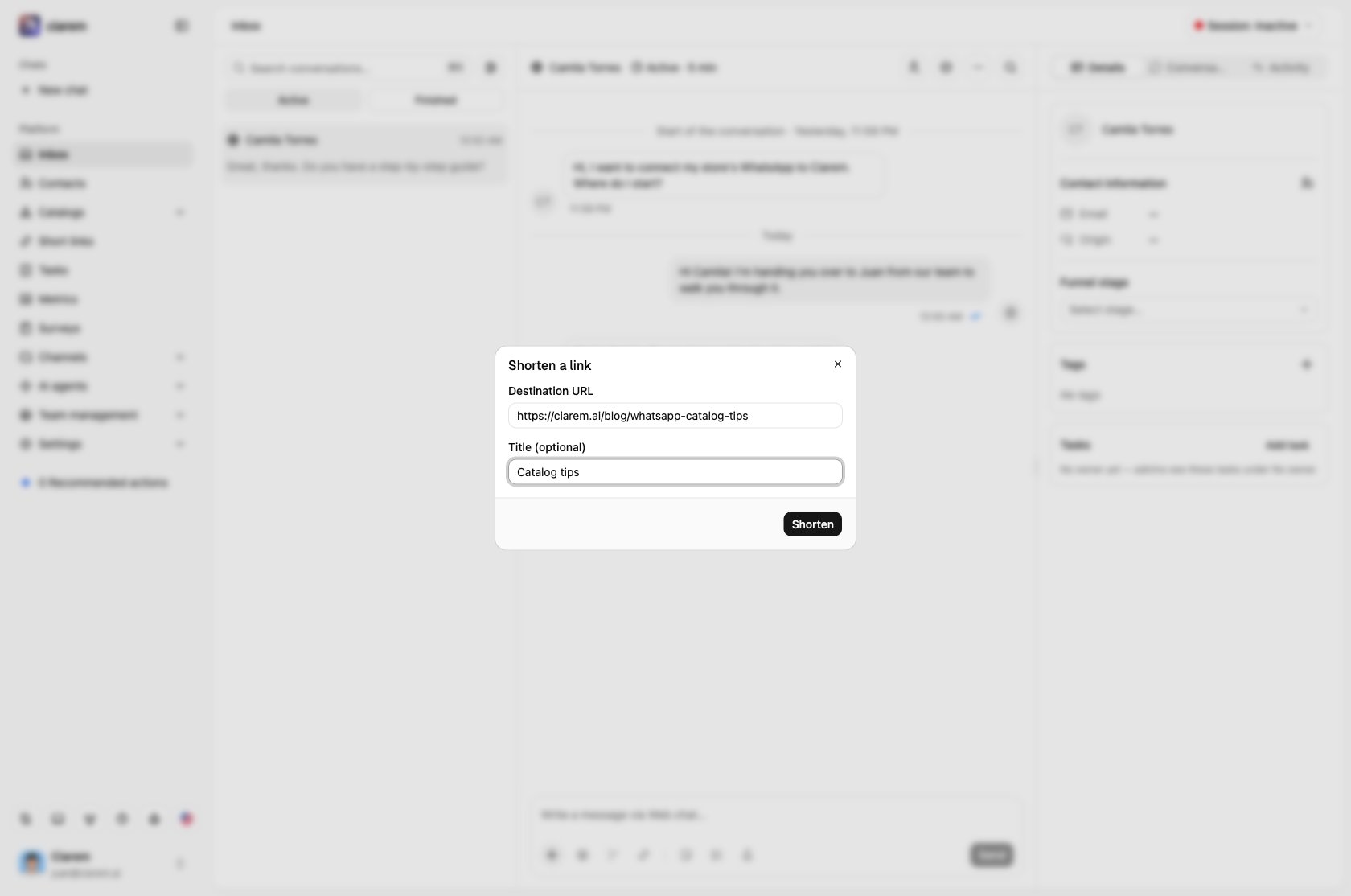
- Enter the Destination URL. Add a Title (optional) to recognize the link later.
- Click Shorten.
- Click Insert in message to put the short link in your draft, or copy it.
Links your AI agent sends
When Shorten links sent by the AI is on, links in your AI agent’s replies are replaced with short links automatically, so their clicks are tracked too. It is on by default. You find the switch in See details on the Short links card.The Short links page
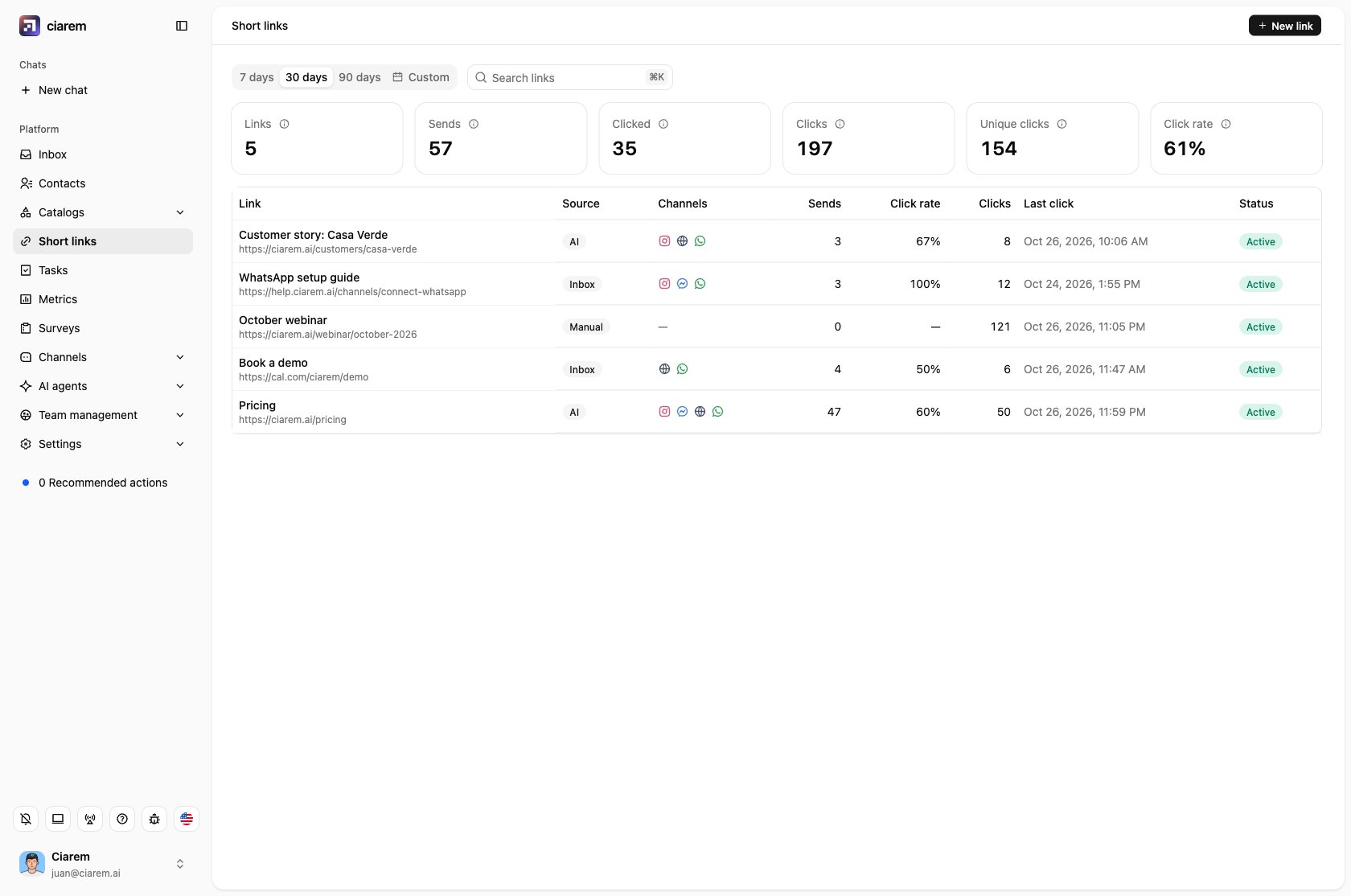
Admins see Short links in the sidebar. For the date range you pick (7 days, 30 days, 90 days or Custom, up to 92 days), the tiles at the top show Links, Sends, Clicked, Clicks, Unique clicks and Click rate, and the table lists every link with its Sends, Click rate, Clicks and Last click.- Use Search links to find a link by title or destination.
- The Source column tells you where it came from: Manual (created here), Inbox or AI.
- The Status column shows Active, Inactive or Expired, plus Not tracked for a link that doesn’t record clicks.
- New link creates a shared link that is not tied to any recipient, for example to paste in an email or an ad. Turn off Track clicks if you only need the short URL: the link works the same, but Ciarem doesn’t record its clicks.
Link details
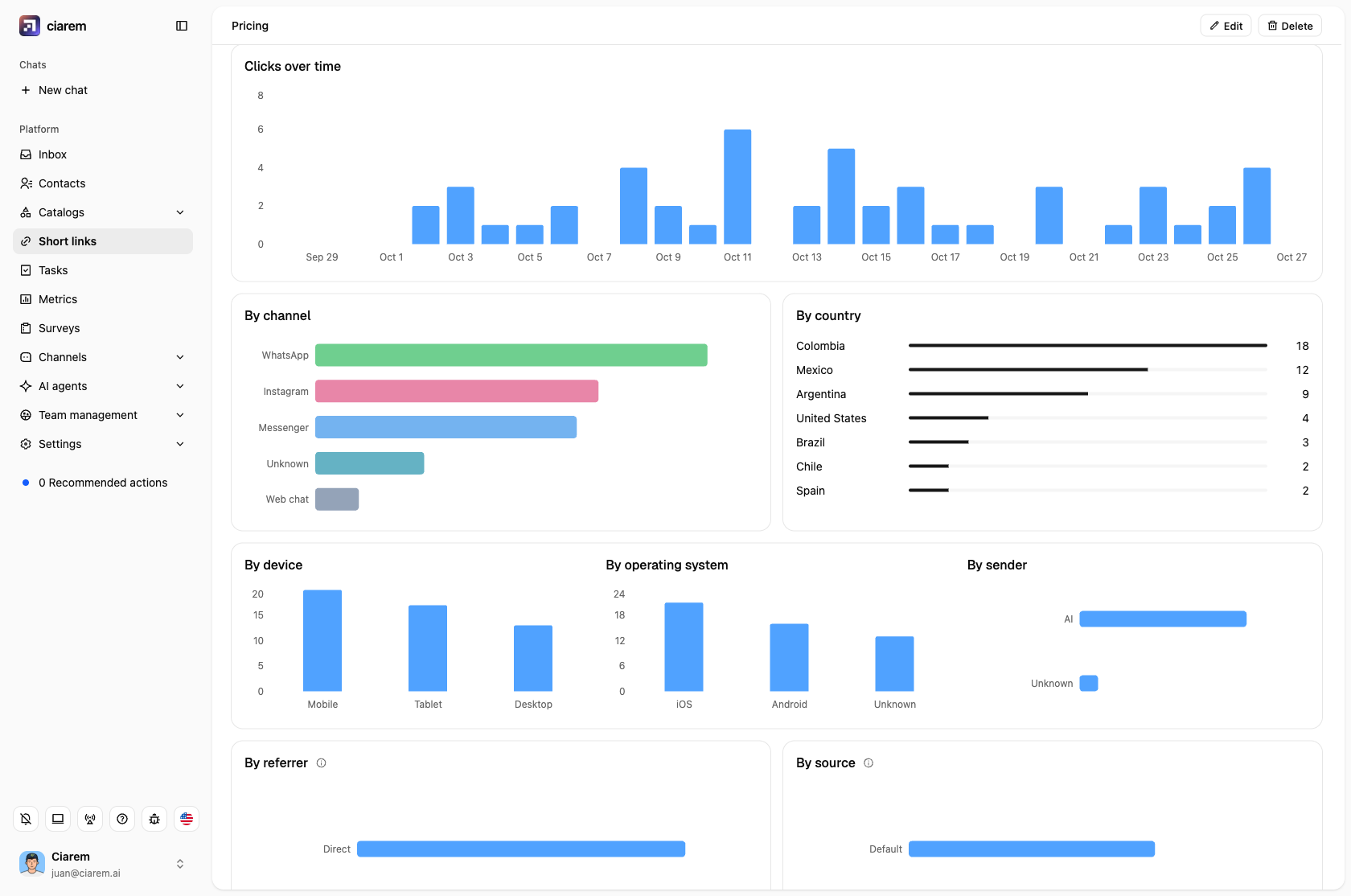
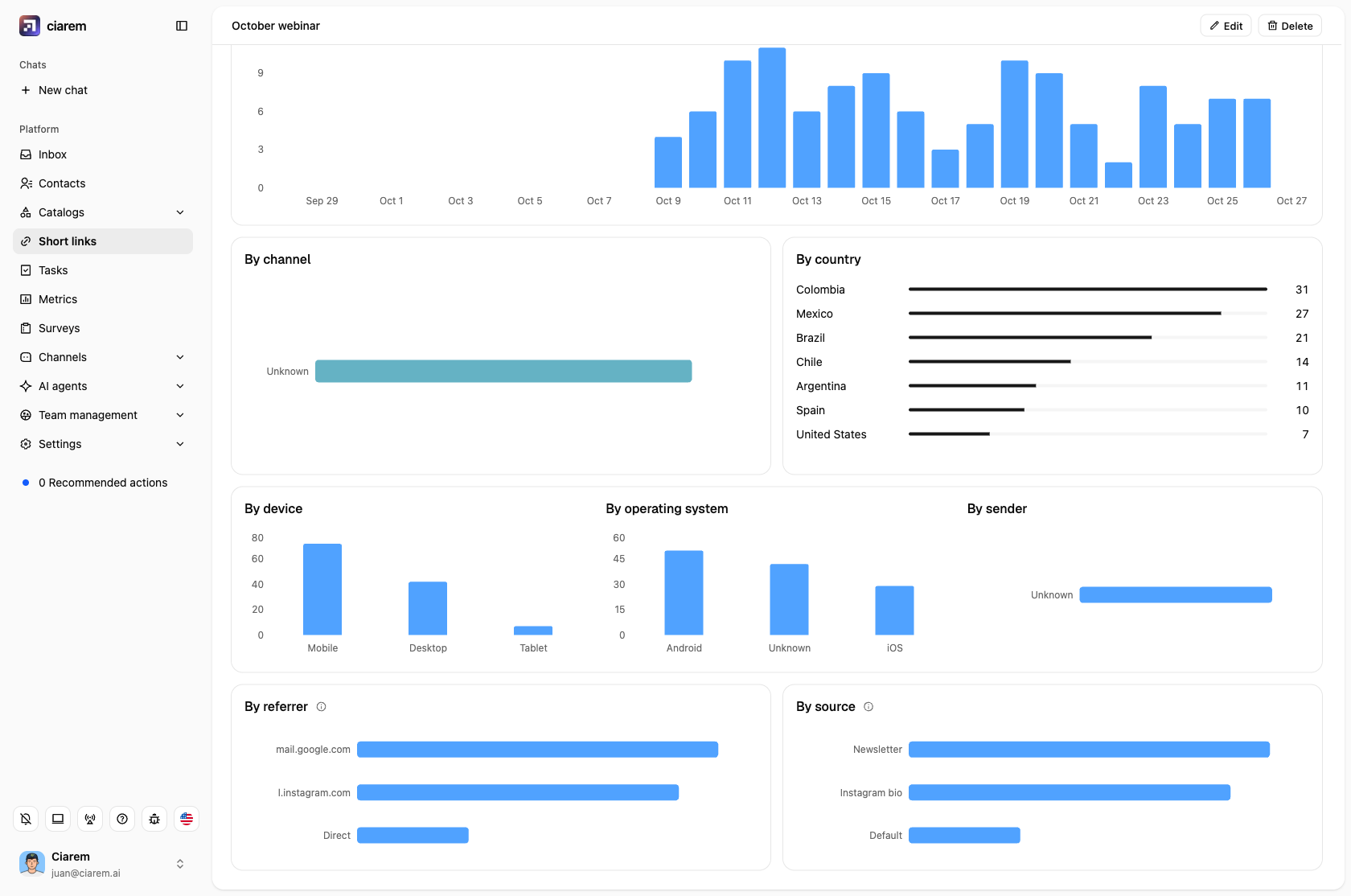
Click a link to see its details: the short URL, the destination, the same date range and its numbers. Under the numbers come its Short URLs, then the charts.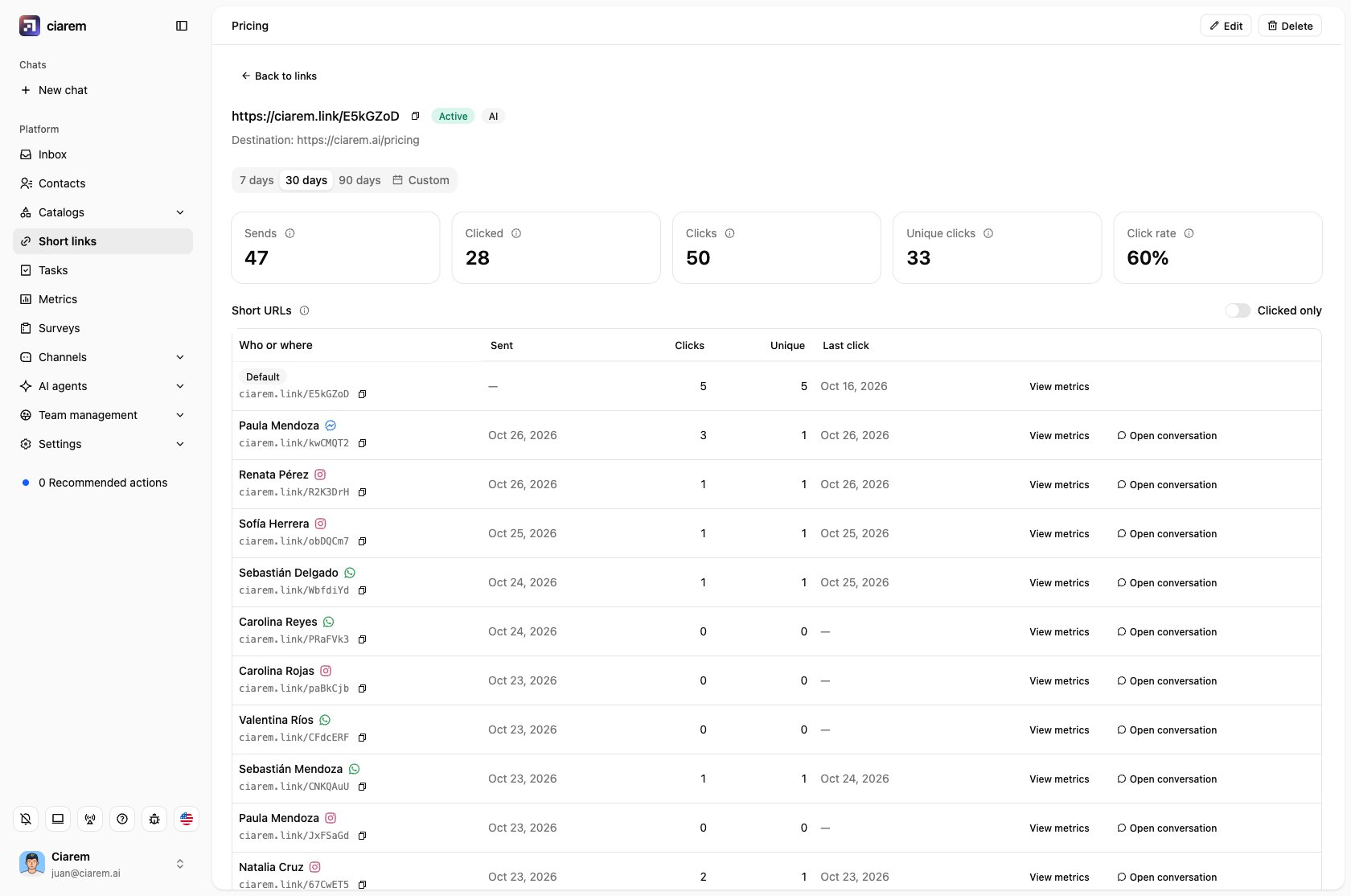
Short URLs
Under the numbers, Short URLs lists every short URL of the link in one table: its Default one, any sources, and one for each person it was sent to in a chat. Each row is named by who or where (the person and their channel, the source, or Default), with its short URL under it, and shows when it was sent, and its clicks, unique clicks and last click (all-time), with a copy icon and, for a person, Open conversation. Turn on Clicked only to list just the ones someone clicked. A person’s short URL whose message never went out (a draft you didn’t send, or a send that failed) shows as Not sent: it isn’t counted as a send, but any click on it still counts. Click the Sent, Clicks, Unique or Last click header to sort by it (a second click reverses the order, a third goes back to the default order); on a phone or tablet use Sort by. Click View metrics on a row to see only that short URL’s numbers and charts above; Show all goes back to the whole link.Charts
- Clicks over time, one bar per day.
- By channel, By country, By device and By operating system.
- By sender: who sent the link, your Team, the AI or the WhatsApp Business app.
Edit or delete a link
Use Edit to change the title, the destination, whether the link is Active, whether it records clicks (Track clicks, shared links not yet sent in a conversation), and when it Expires. A few things to know:- Expires on a date means the link works through the end of that day, in your local time.
- Changing the destination re-points every short link already sent: people who open an old message land on the new destination.
- Turning Active off stops the link from redirecting without deleting its history.
- Turning Track clicks off keeps the clicks already recorded and stops recording new ones. Links your AI agent sends and links shortened in a chat with tracking on are always tracked, and so is any link once it has been sent in a conversation (a chat reuses the link for the same URL): its Edit has no Track clicks switch.
How clicks are counted
- A send is a short link that actually went out in a message. A link you shortened but never sent, or a message that failed to send, does not count as a send.
- Click rate is the recipients who clicked divided by the recipients it was sent to. A shared link with no recipients shows ”—”.
- Unique clicks count each visitor once, even if they open the link several times.
- Link previews are not clicks. When WhatsApp, Meta, Slack or Telegram fetch a link to draw a preview, Ciarem lets it through but does not count it.
- Country and device come from the visitor’s connection and are approximate.
- Ciarem does not store IP addresses or browser identifiers.
What is not available yet
- Per-recipient tracking in WhatsApp message templates and broadcasts: a short link in a template is shared, so it counts clicks but not sends or who clicked.
- Custom slugs (the short code is generated for you).
- QR codes and CSV export.
- The Shorten link tools in the mobile app composer.