> ## Documentation Index
> Fetch the complete documentation index at: https://help.ciarem.ai/llms.txt
> Use this file to discover all available pages before exploring further.
# Recommended actions
> The list of things worth fixing or improving in your workspace: rejected templates, quality drops, accounts to reconnect, knowledge gaps, and catalog issues.
**Recommended actions** is the entry at the bottom of the sidebar that collects everything the platform has noticed and an admin should act on. Only admins see it, and the list is shared: when one admin resolves or skips a card, it disappears for everyone.
Click the entry to open the panel. It has two tabs:
* **Needs attention**: channel health. A message template Meta rejected or paused, a WhatsApp line whose quality rating dropped (a warning that Meta may limit your messaging), and an Instagram or Messenger account Ciarem no longer has permissions for.
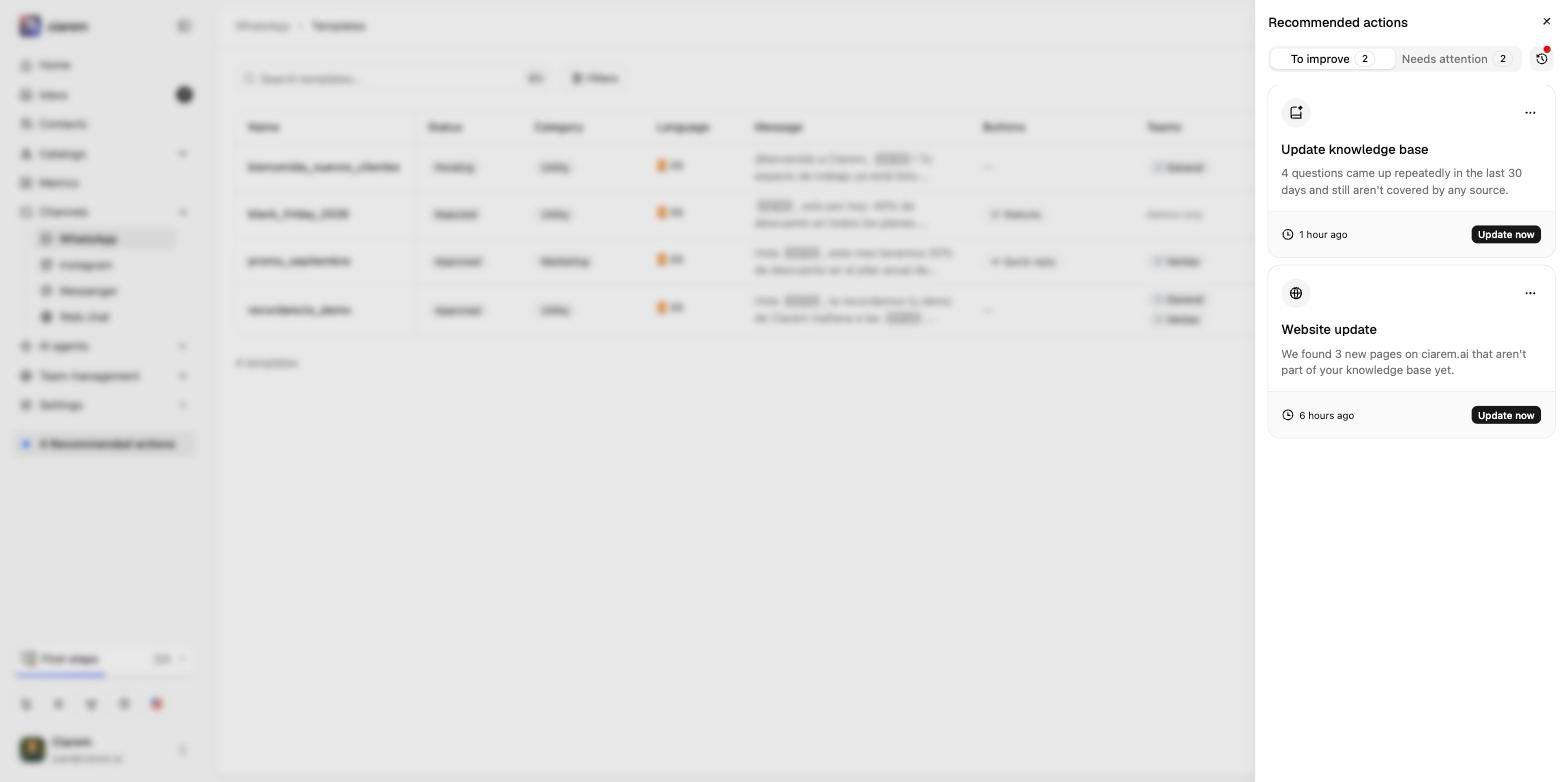
* **To improve**: knowledge and catalogs. Questions customers keep asking that no source covers, new pages found on a website source that are not part of your knowledge base yet, a website source that has not been recrawled in a while, and catalog records the AI could not find, that are missing information, or that have no price.
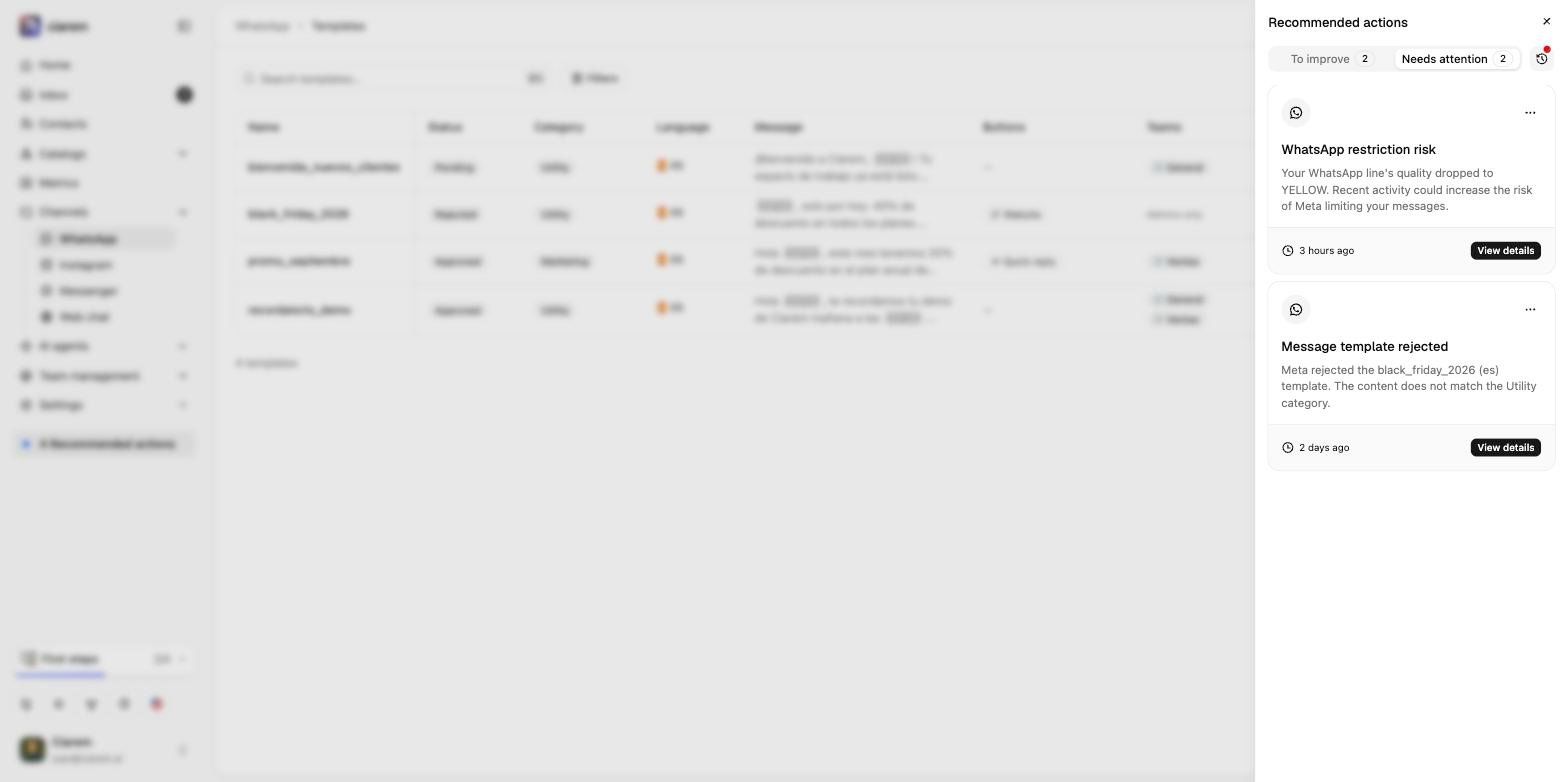 Each card says what was detected and since when, and its button takes you where the fix is: **View details** opens the template or the channel, **Update now** opens the knowledge base, **Review products** opens the catalog. The knowledge card opens the Home assistant with the uncovered questions, so it can draft answers for you to confirm as a new source.
 ## Resolving and skipping
From the card's **···** menu:
* **Mark as resolved** when you have handled it. Most cards also clear on their own when the condition goes away: a resubmitted template that gets approved, a quality rating back to green, a reconnected account, or a new crawl that includes the new pages.
* **Skip** when it is not worth acting on. A skipped card stays quiet while the condition persists, and only comes back if the problem clears and later happens again.
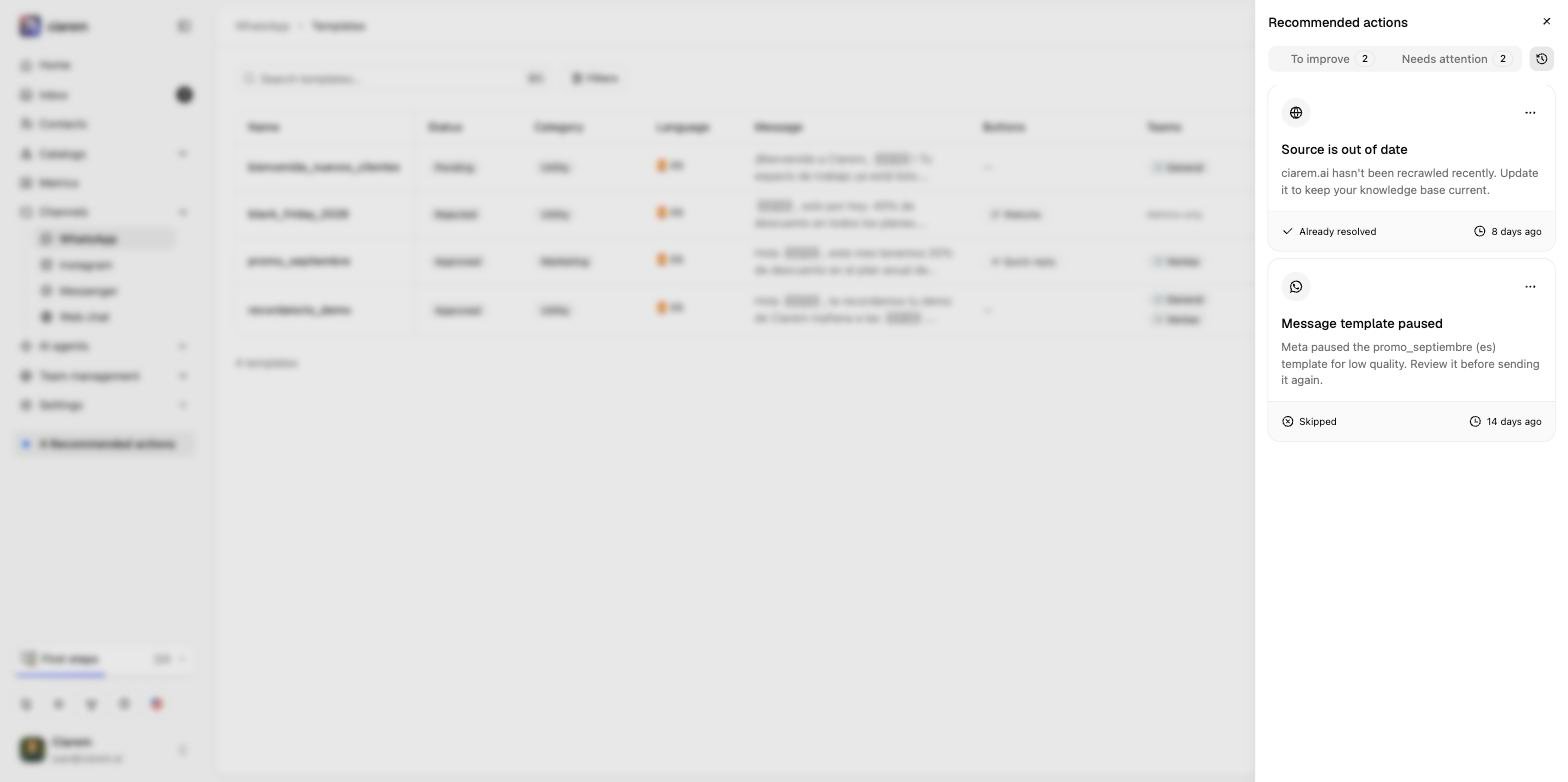
The clock icon next to the tabs opens the **history**: everything already resolved or skipped, and when.
## Resolving and skipping
From the card's **···** menu:
* **Mark as resolved** when you have handled it. Most cards also clear on their own when the condition goes away: a resubmitted template that gets approved, a quality rating back to green, a reconnected account, or a new crawl that includes the new pages.
* **Skip** when it is not worth acting on. A skipped card stays quiet while the condition persists, and only comes back if the problem clears and later happens again.
The clock icon next to the tabs opens the **history**: everything already resolved or skipped, and when.
 ## How the list is built
Channel cards appear the moment Meta notifies Ciarem: a template status change, a quality update, or a lost permission. Knowledge and catalog cards come from an hourly check. The AI records every question it could not answer from your sources and every product it could not find, and once the same thing has come up repeatedly in the last 30 days, a card is opened. Nothing here changes how the agent replies; it is a to-do list, not a setting.
## How the list is built
Channel cards appear the moment Meta notifies Ciarem: a template status change, a quality update, or a lost permission. Knowledge and catalog cards come from an hourly check. The AI records every question it could not answer from your sources and every product it could not find, and once the same thing has come up repeatedly in the last 30 days, a card is opened. Nothing here changes how the agent replies; it is a to-do list, not a setting.